Robot handling
Follow these essential guidelines to safely handle your robot during industrial monitoring operations, including proper carrying, reliable charging, and key safety rules.
Carrying
X30 with payload weights approximately 75 kg and it is recommended that two people carry it: one person lifts the anterior carrying point of the robot, while the other lifts the rear carrying point of the robot.
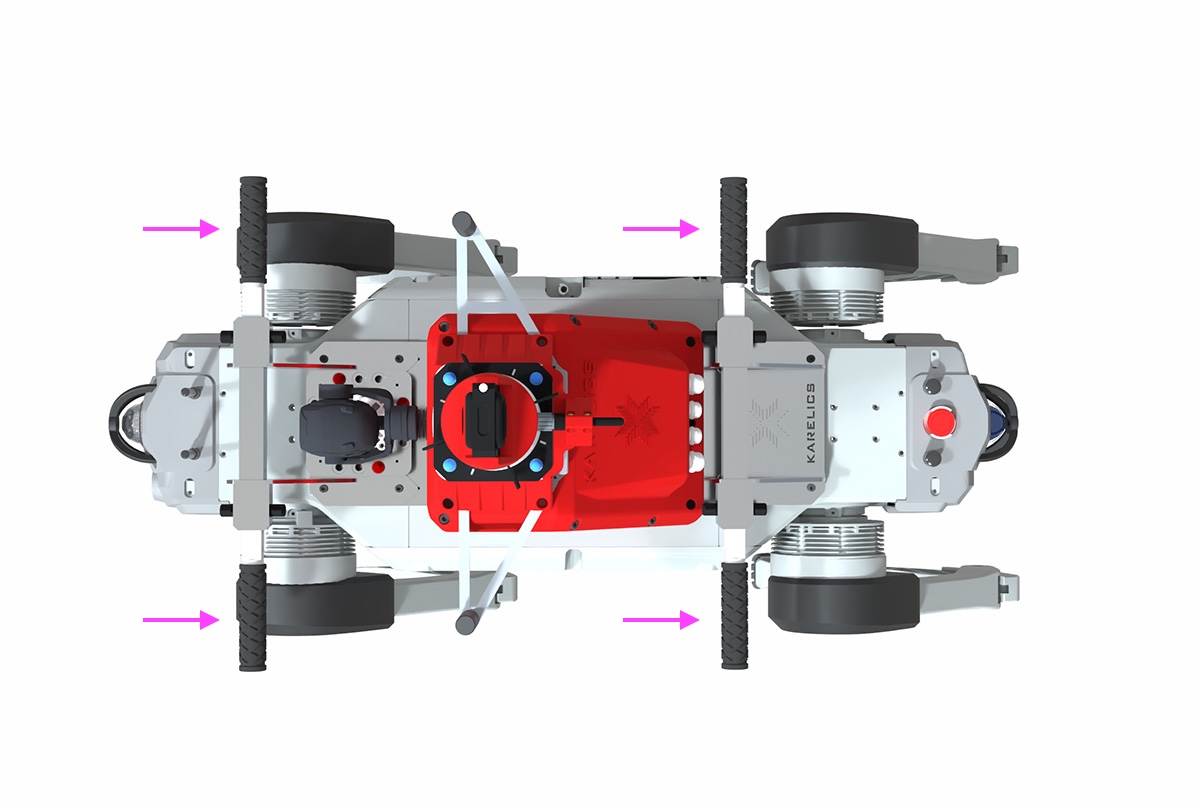
- Power off X30 and carry it gently.
- Do not hold joints to prevent pinching or even scratching when carrying.
- The metal components of the robot's legs that have just finished running are hot, so please wait until it drops to suitable temperature before carrying.
Charging
X30 is powered by a ternary lithium battery.
You can connect the robot with 220V AC power supply through the charger, and the charging port is located on the left side.
- First make sure the robot is turned off. Open the charging port cover and connect the charger to the charging port and tighten it (charger has an anti-reverse plug-in port), then connect it to 220V AC power.
- During charging, the charging indicator on the charger is red.
- When charging is complete, the charging indicator on the charger turns green.
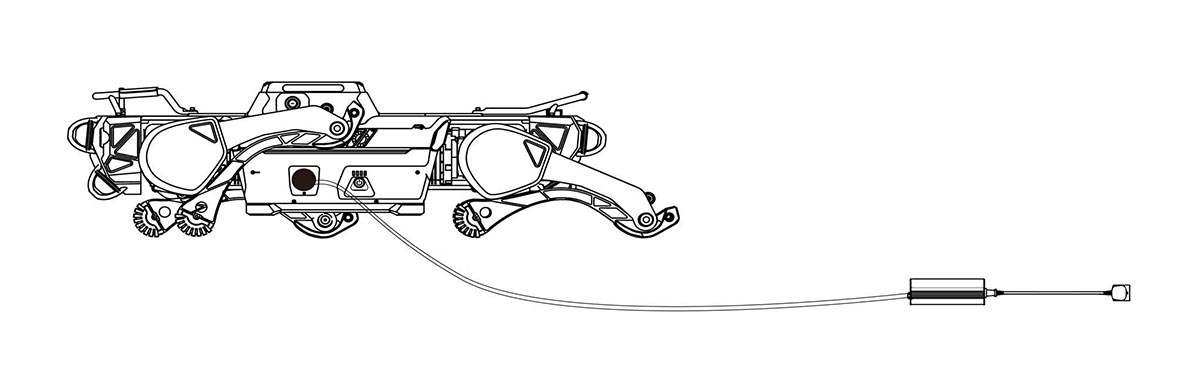
- It is recommended to charge in an environment of 0 ℃ to 45℃ .
- During charging, please do not power on the robot and always pay attention to the state of the charger during charging to avoid accidents. Disconnect the charging power supply in time after charging.
- When the robot is not charging, the charging port cover must be closed to prevent water.
Safety
Operating the X30 InMotion robot requires strict adherence to safety rules to ensure the safety of operators, bystanders, and the robot itself. Below are the essential guidelines compiled from the official user manual.
General Safety
- Only trained personnel should operate the robot.
- Keep a minimum distance of 2 meters between the robot and people, objects, or obstacles during operation.
- Never drag, ride, or place objects on the robot.
- Avoid putting hands, feet, or objects near the robot's joints or under its body.
Environment
- Operate the robot only in temperatures between -20°C and 55°C.
- Avoid environments with strong WiFi interference, heavy electromagnetic interference, or extreme weather (fog, snow, lightning, storms).
- Do not operate the robot on edges of high places, slippery surfaces, or near water and fire sources.
Battery and Charging
- Charge in environments between 0°C and 45°C.
- Ensure the robot is powered off before charging.
- Keep the charging port cover closed when not charging to prevent water ingress.
- Replace batteries carefully, and only use approved batteries.
Emergency Procedures
- Soft Emergency Stop: Trigger via the controller switches or rear button to stop robot safely.
- Hard Emergency Stop: Only use in emergencies. It cuts all power and the robot may fall immediately, causing risk of damage.
- The robot will automatically stop in case of overheating, low battery (< 3%), or falls.
- In case of fire, do not use water. Use foam, dry powder, or CO₂ extinguishers.
Operation Precautions
- Always ensure the emergency Stop buttons are released before powering on.
- Stand the robot only on flat, stable surfaces before operation.
- Do not lift or carry the robot while it is powered on or moving.
- Do not attempt unauthorized disassembly; doing so voids the warranty.
Transport and Storage
- Store in a clean, dry environment at -20°C to 55°C.
- If unused for long periods, recharge every three months to maintain battery health.
- Carry the robot with at least two people (weight ~75kg), holding the designated carrying points. See the Carrying guide.
⚠️ Important: Failure to follow these safety rules may lead to personal injury, equipment damage, or voiding of warranty.