Insta360 camera
The Insta360 camera enables capturing high‑quality 360° photos and videos, providing a complete view of the surroundings. It is especially useful for documenting environments, inspections, and monitoring tasks with robots.
Powering on the camera
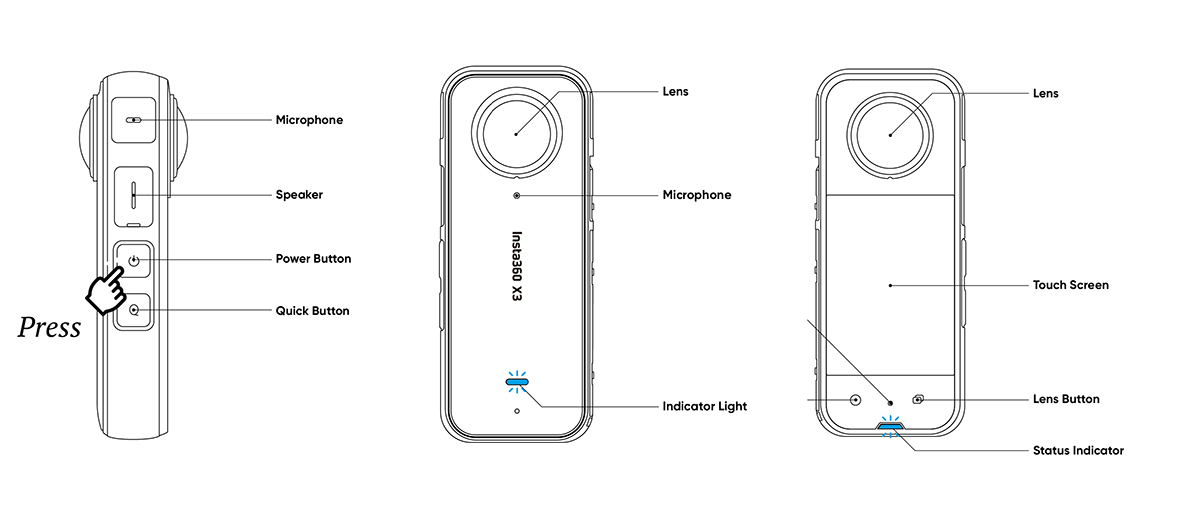
Press the Power Button and wait until both the Indicator Light and the Status Indicator turn solid blue.
Checking in Health Monitoring
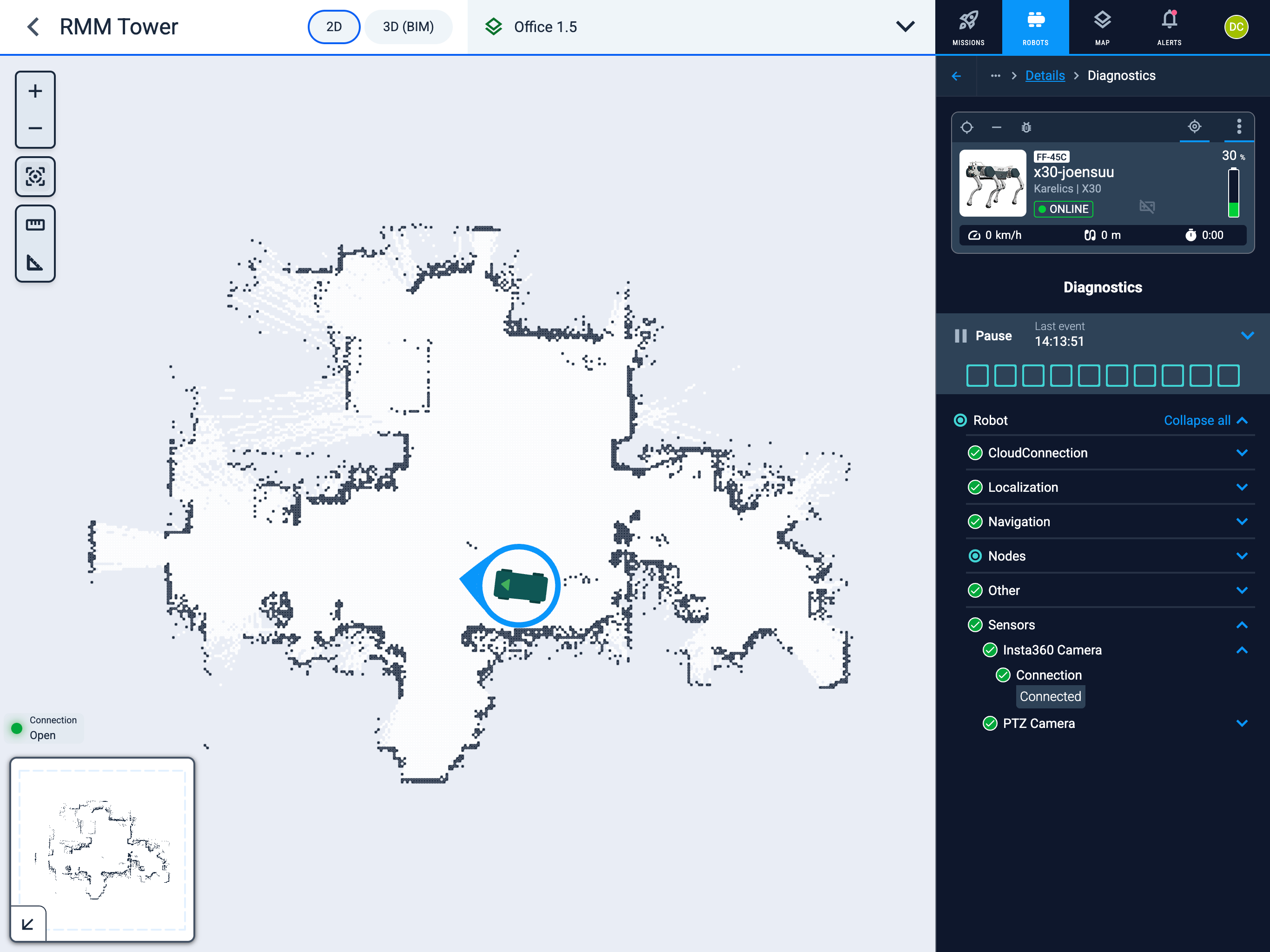
Make sure the Insta360 Camera is connected without errors.
Operator Hub → Current Project → Workspace → Robots → Current Robot → Configuration → Robot info → Diagnostics.
Troubleshooting
If you encounter problems with the Insta360 camera, please refer to the troubleshooting guide at Troubleshooting Equipment - Insta360 Camera for detailed solutions.