Payload setup: Installing a SIM card
To enable network connectivity, you need to insert a SIM card into the Payload’s internal router. Follow these steps:
1. Open the Payload
- Use a hex key to unscrew the 11 bolts (DIN 912 M6x031) that hold the top cover in place.
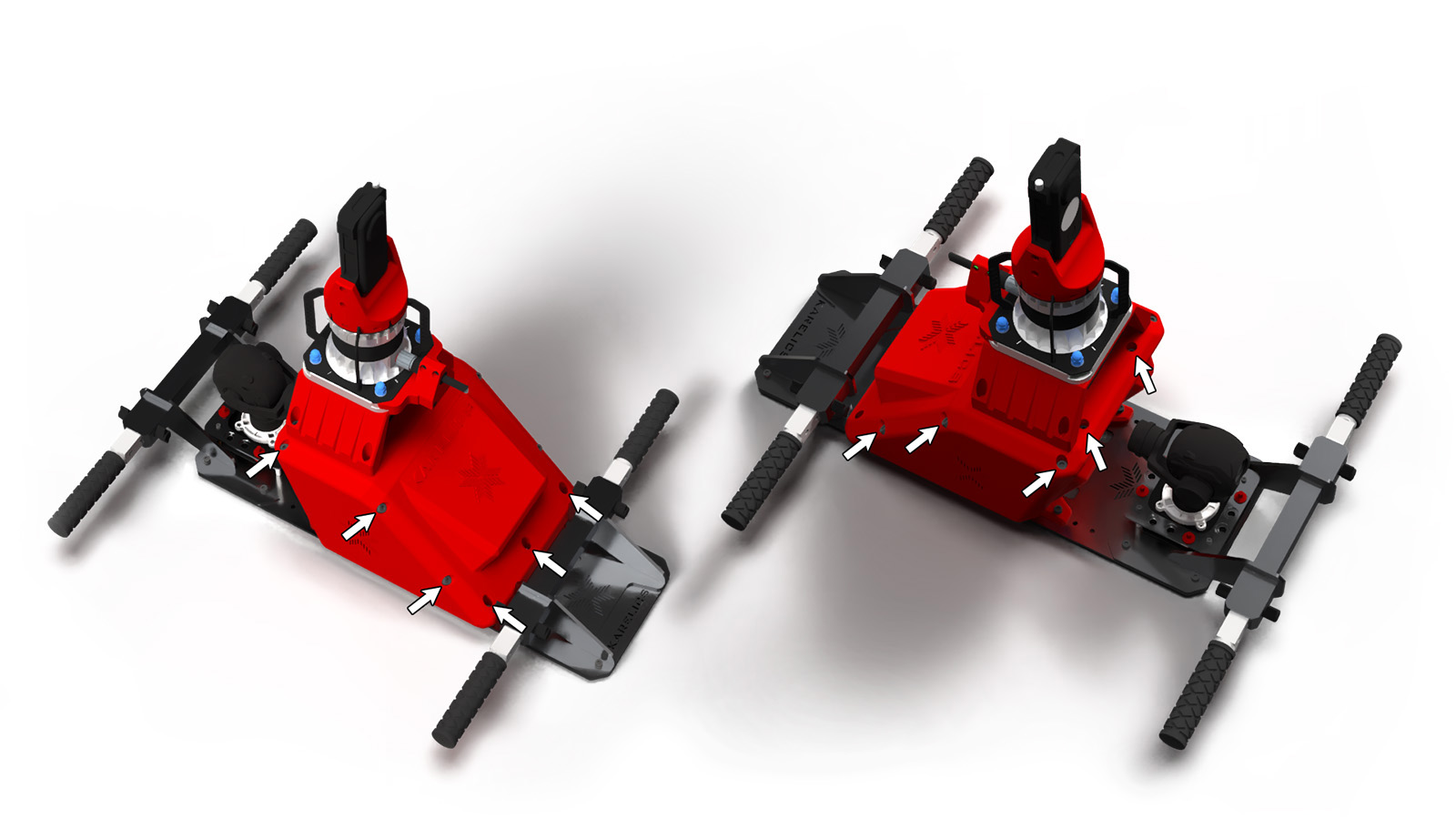
2. Locate the Router
- Carefully lift and remove the top cover of the Payload.
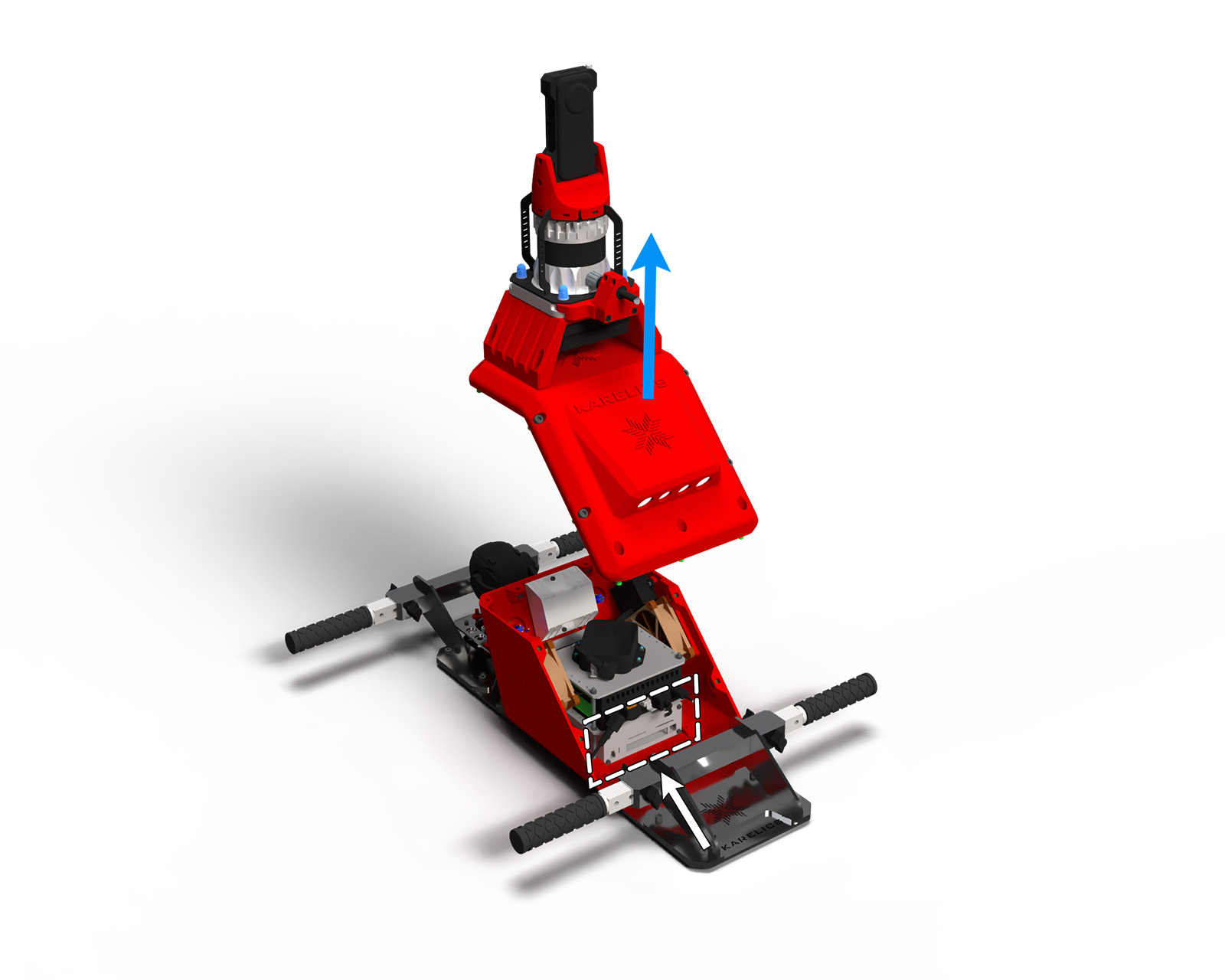
- Inside the Payload, at the bottom, you will find the RUTX11 Cellular Router.
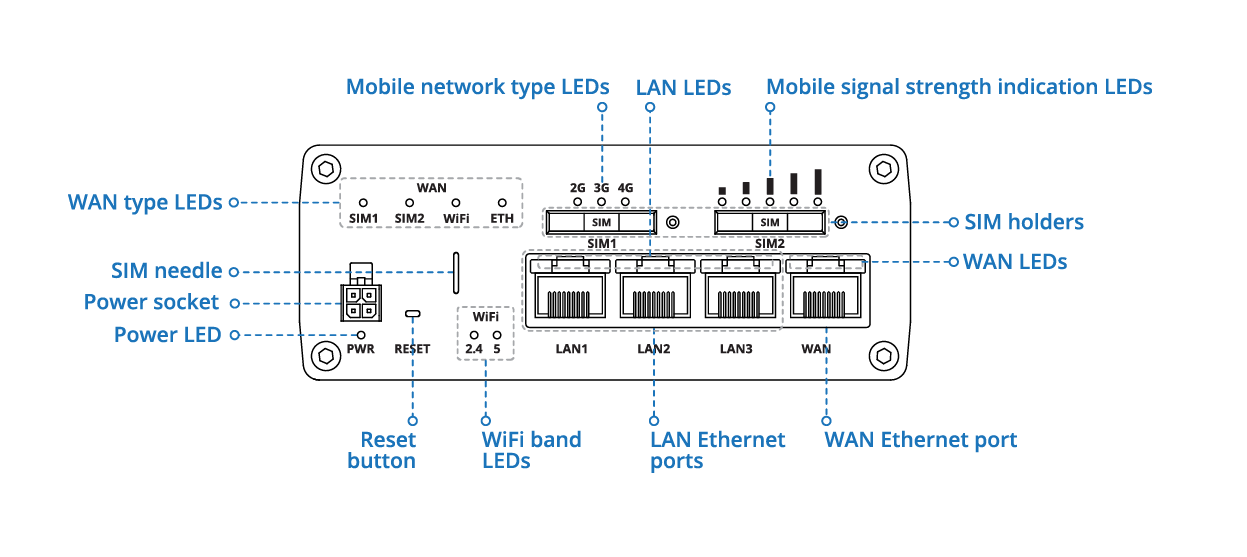
3. Sim instalation
Push the SIM holder button with the SIM needle.
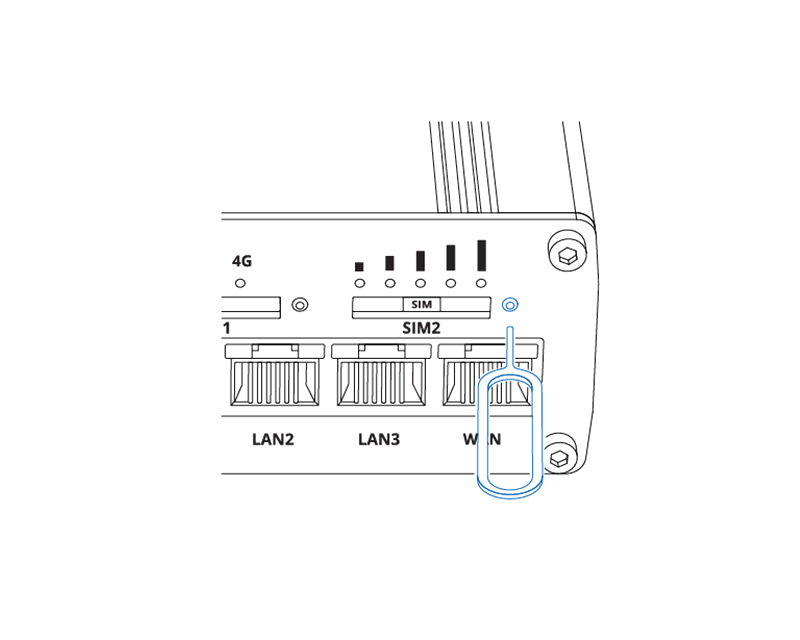
Pull out the SIM holder.
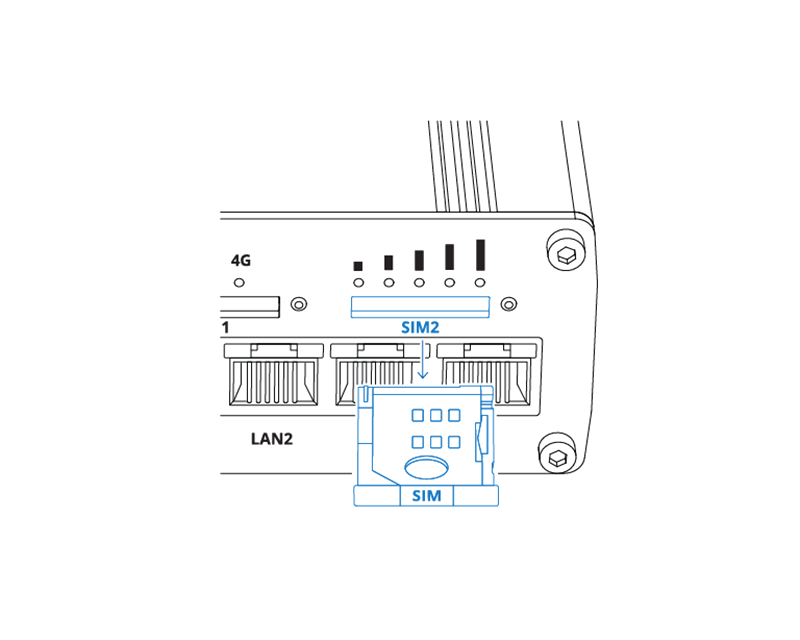
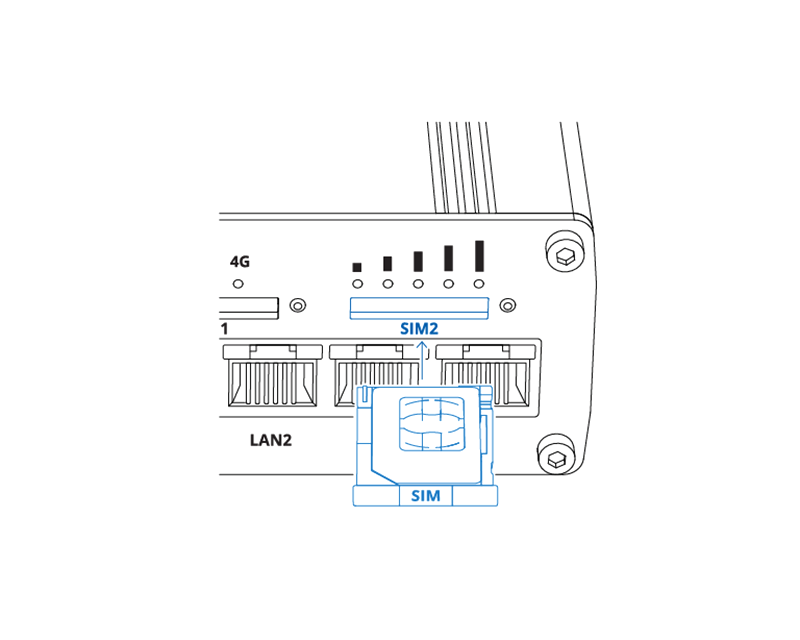
Insert your SIM card into the SIM holder.

Slide the SIM holder back into the router.
4. Reassemble the Payload
- Place the top cover back onto the Payload.
- Secure it again using the 11 DIN 912 M6x031 bolts.
Attribution
Some images on this page are sourced from the Teltonika Networks RUTX11 Quick Start Guide.
© Teltonika Networks.