Settings
Admin Hub → Projects → Current Project → Advanced → Settings
Configure project‑level options.
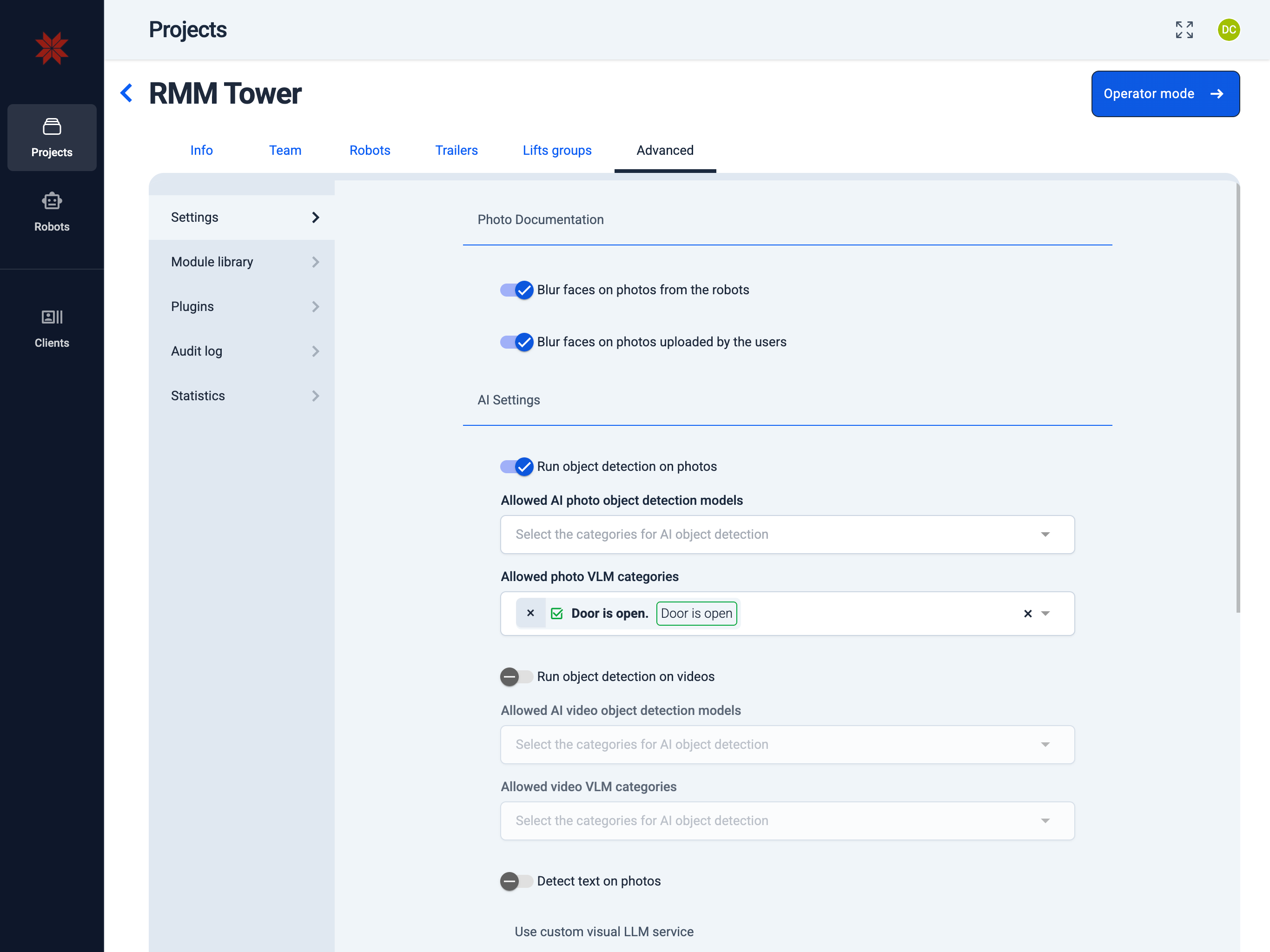
Photo Documentation
Toggle automated face blurring for assets captured by robots or uploaded by users. When enabled, the system anonymizes detected faces before the files appear anywhere else in the project.
Existing photos remain unchanged; only new uploads (or captures) are processed after the toggle is turned on.
AI Settings
Run object detection on photos — scans new images and tags them with the selected AI annotation categories. Disable the toggle to skip photo-level AI processing.
Run object detection on videos — performs the same classification for uploaded videos when enabled. Use the dropdown to restrict detections to the categories relevant to the project.
Custom visual LLM service
Provide the Service URL, Model name, and API key to override the built-in AI engine. Once configured, all image and video detections for this project run through the connected provider.
Reporting
Activate the hourly newsletter to email AI detection summaries. Choose which annotation categories should appear in the digest and list the recipients who need the updates.