Current robot
Operator Hub → Current Project → Workspace → Robots → Current Robot
The current robot page provides detailed information and control options for individual robots.
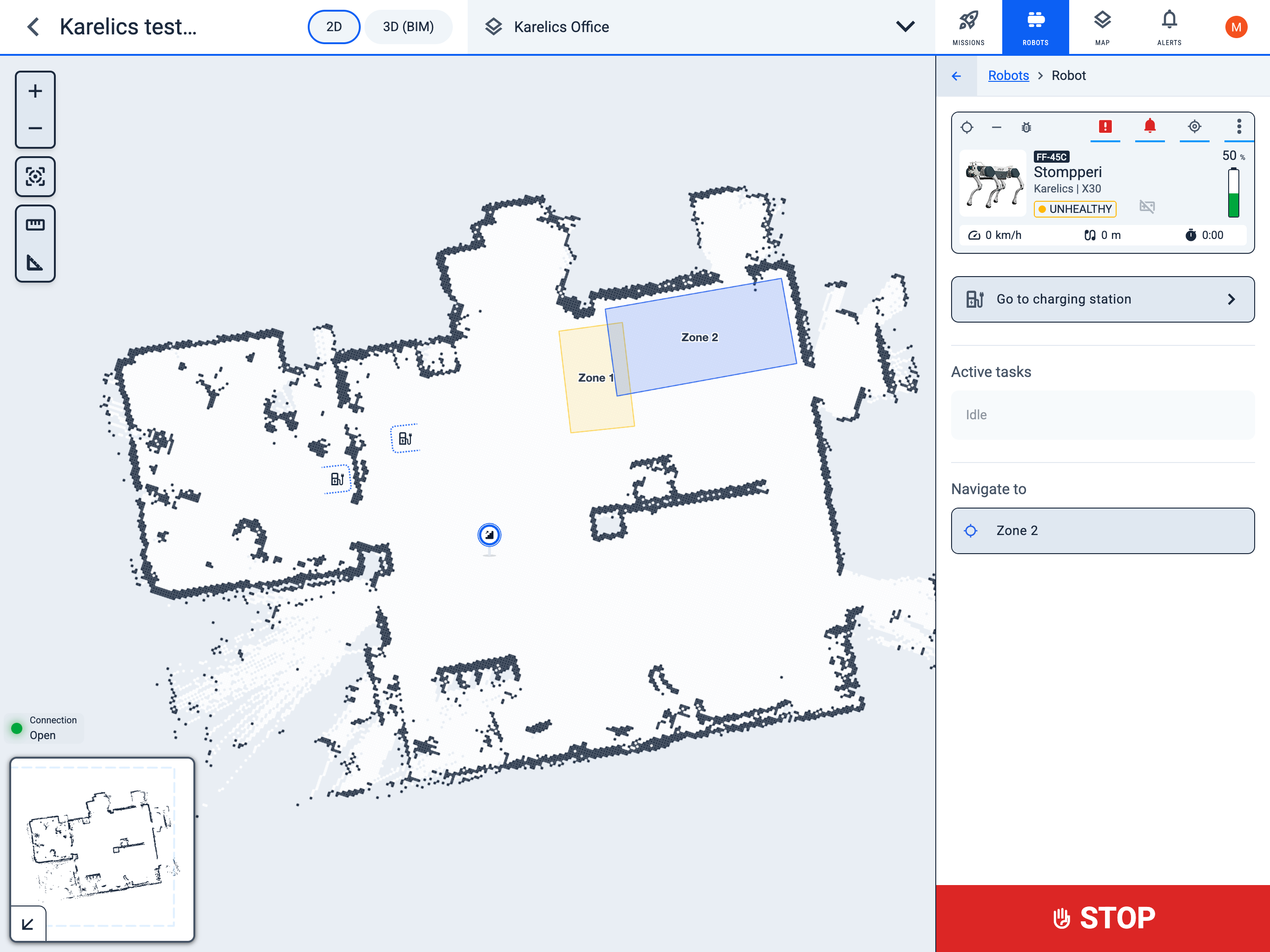
Robot Card
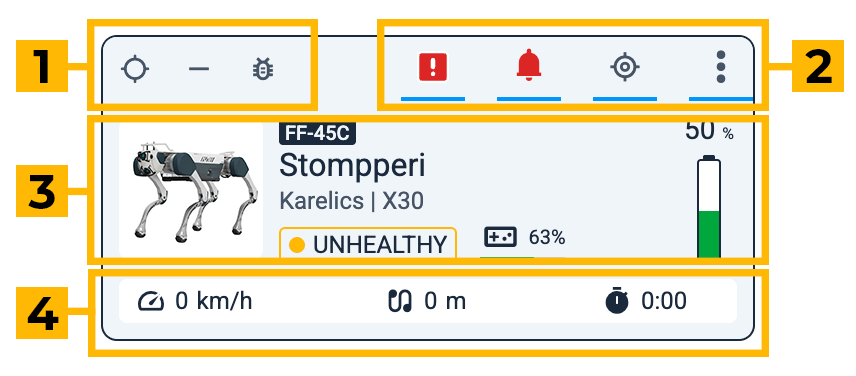
1. Status indicators
- Mode:
- location_searchingLocalization
- edit_location_altMapping
- syncChanging mode
- Locomotion:
- stairsStairs
- horizontal_ruleWalking
- hdr_autoAI autonomous
- back_handEmergency stop indicator
- syncSynchronization issues
- bug_reportDebug mode
2. Quick action buttons:
- Health monitoring: view robot status and open the full report (appears only if there are critical or warning states)
- exclamationCritical
- warningWarning
- Notifications:
- notificationsrobot-specific notifications (appears only if there are notifications)
- Zoom to robot:
- my_locationshow the robot's location on the map
- Robot config:
- more_vertgo to the robot information, control, and configuration page
3. Robot info:
- Robot ID
- Robot name
- Manufacturer / Model
- square_dotHealth status: Online / Offline (shows how long ago it was online) / Busy / Unhealthy
- videogame_assetController charge
- battery_6_barRobot battery charge
4. Metrics:
- speedCurrent robot speed
- earbudsDistance traveled since power-on
- timerTime since power-on
Quick action buttons
Quick action buttons provide fast access to common operations. Ex. 'Send to charging station'.
Active Tasks
The Active tasks section shows what tasks the robot is currently working on.
Navigate to
The Navigate to section contains buttons for pre-created locations where you can quickly send the robot.
Emergency stop
back_handPressing the red Stop button will immediately interrupt all current tasks and bring the robot to a halt.