Robot control
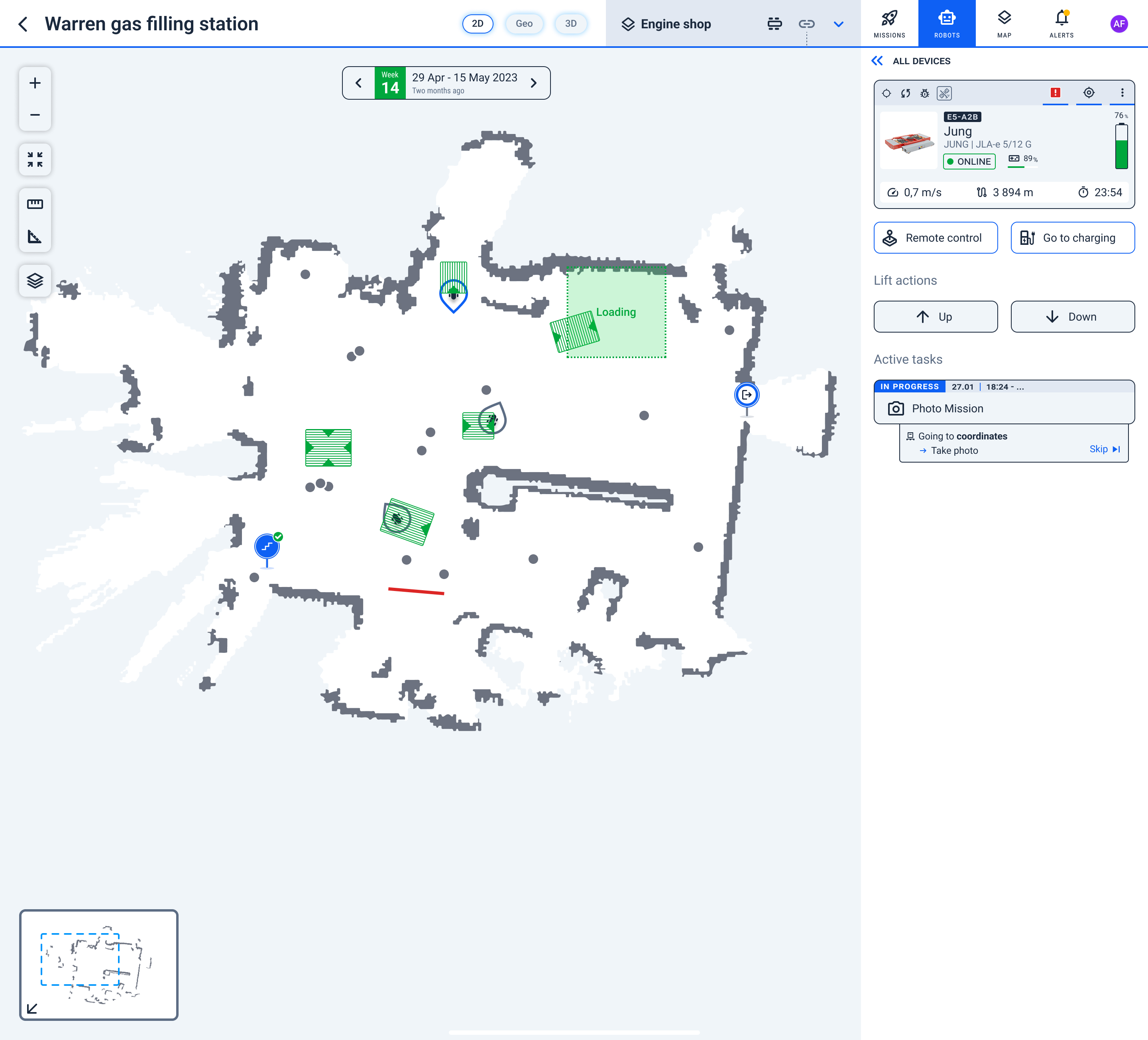
The Jung JLA-e 5/12 is operated through Karelics Cloud and Karelics Brain once the integration kit is installed. The manufacturer handheld remote is superseded by Cloud missions and Karelics manual modes for fleet deployments.
Operator features (Karelics Cloud + Brain)
Per the Karelics–JUNG integration requirements (July 2024):
- Autonomous drive and mapping
- Virtual locations and go to charger
- Lift up/down from the operator UI
- Trailer pick-up, transport, and drop-off
- No-go zones and virtual walls on the site map
- Health monitoring and UI status indicators
- Usage analytics
- Multiple robots on one project and map
- Remote teleoperation when the optional camera (e.g. Intel RealSense D457) is installed
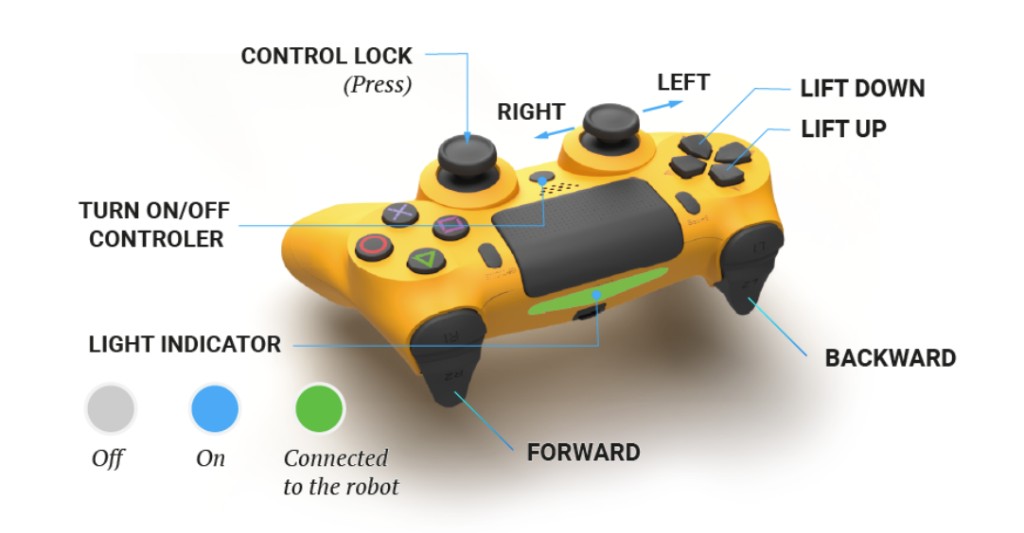
- PS4 controller for manual control on site
Karelics Cloud
Use Cloud to:
- Plan and launch navigation missions on site maps
- Monitor robot position, battery level, and health status
- Control the platform lift from the operator UI
- Execute trailer pick-up, transport, and drop-off tasks
- Configure no-go zones and virtual walls
PS4 controller
A DualShock 4 controller is part of the integration kit for manual driving when autonomous mode is not used. Pair and use according to your project operator procedures.
| Control | Function |
|---|---|
| R2 | Forward |
| L2 | Backward |
| Left stick | Steer left / right |
| Press right stick | Control lock |
| D-pad Down | Lift down |
| D-pad Up | Lift up |
| PS button | Turn controller on / off |
Light bar: grey — off; blue — on; green — connected to the robot.
Lift control
The integrated lift (50 mm stroke on JLA-e 5/12 G with lift) is driven via the EdgeBox ESP-100 and controlled from Karelics Cloud.
Trailer mode
Brain supports navigating with a trailer attached. The robot approaches the trailer position before pick-up; recent Brain releases improved positioning accuracy, reflector detection, and unstuck behaviour for Jung robots. See Brain releases.
Recent Jung-specific Brain improvements include:
- Closer staging point before trailer pick-up (2026.26.0)
- Navigation unstuck behaviour when the robot is blocked (2026.26.0)
- Improved trailer navigation (2026.3.0)