Schedule Robot
Admin Hub → Projects → Current Project → Robots → Schedule Robot
Creating a new schedule for a robot in the current project.
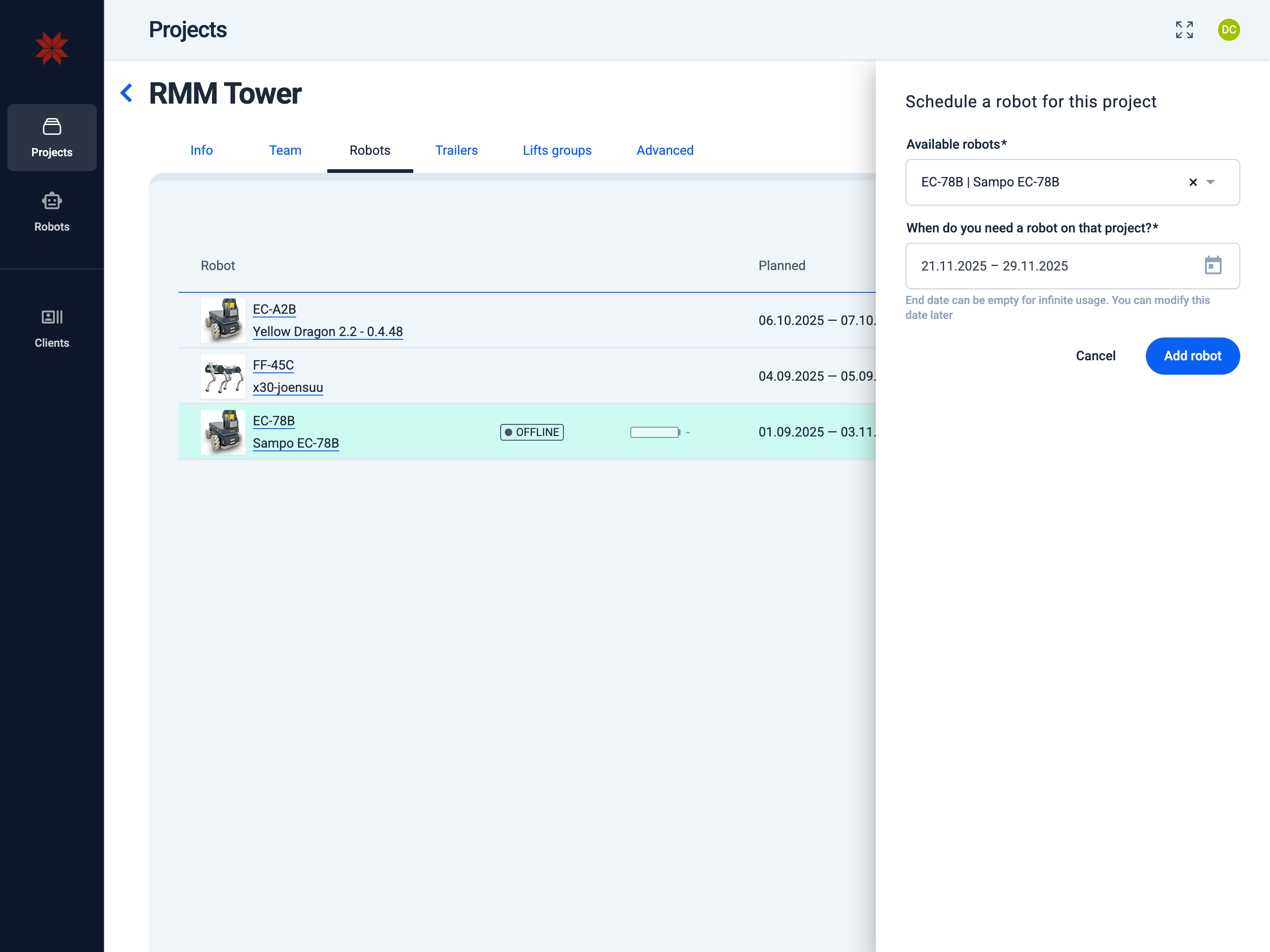
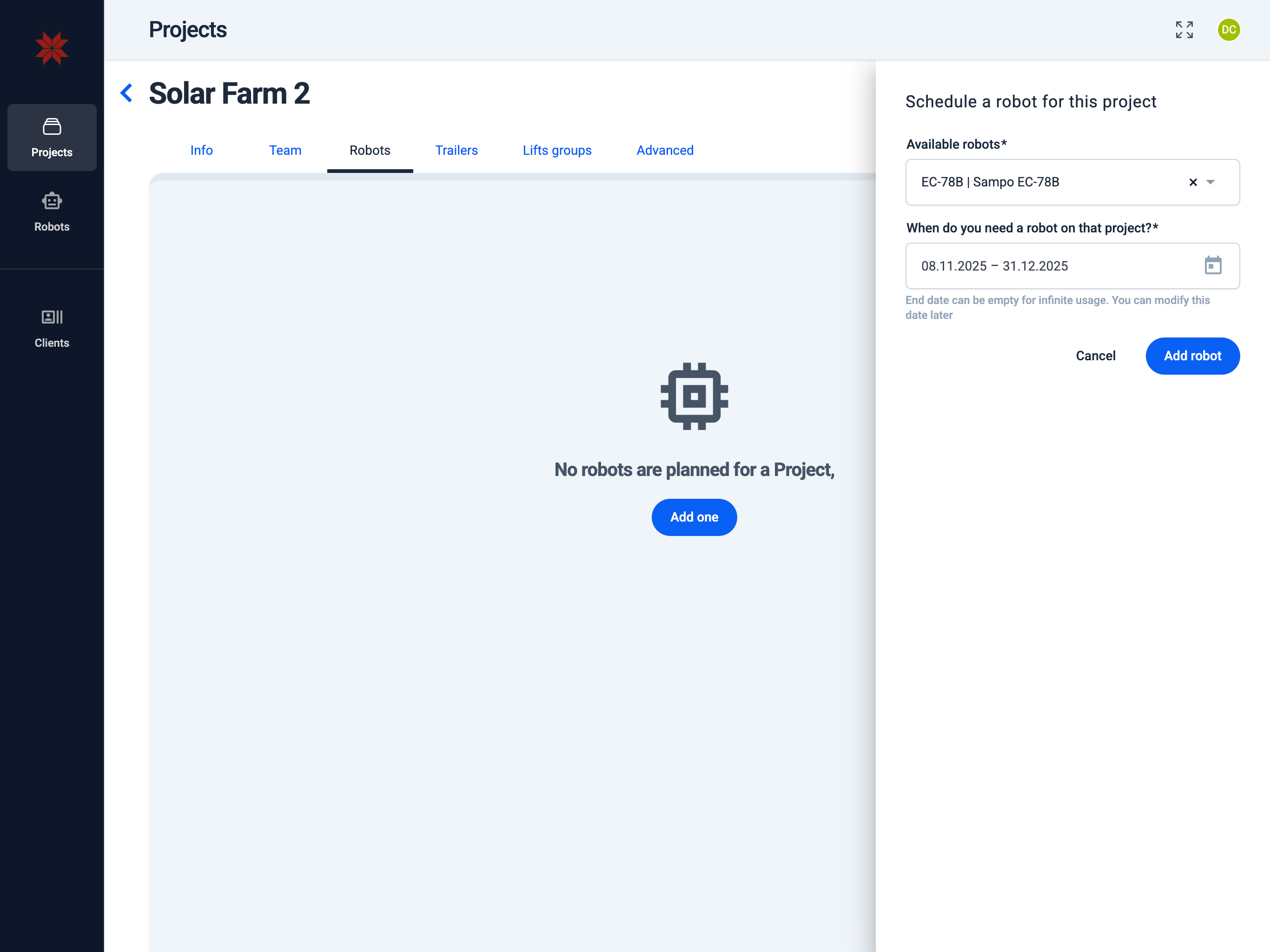
- Create a new robot or select a robot from the list of robots available to you
- Select the desired start and (optionally) end date and time for its operation.
- Click the Add Robot button to complete the scheduling process.
- Robots are in the list
- No robots in the list
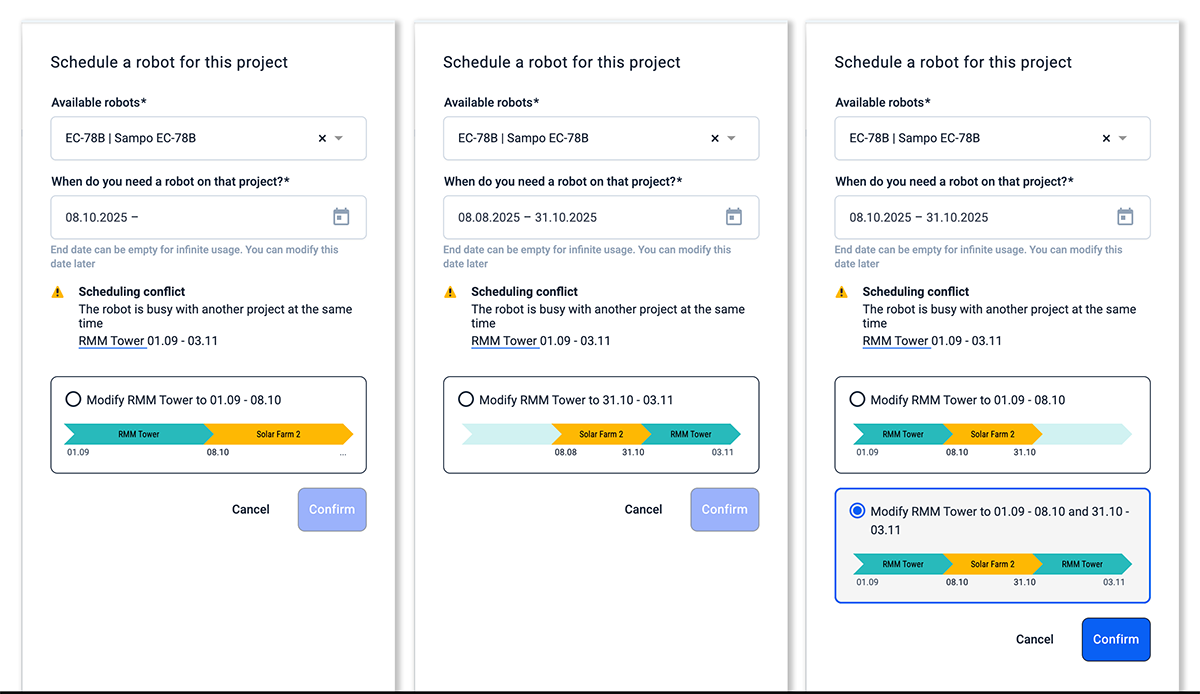
Overlapping Schedules:
If the new schedule overlaps with existing schedules for this robot, you will be offered options to resolve the conflict.
info
End date can be empty for infinite usage. You can modify this date later.