Launching history
Launching history shows every mission launch for the current map — manual runs, scheduled triggers, and retries — grouped by date with the latest status of each attempt.
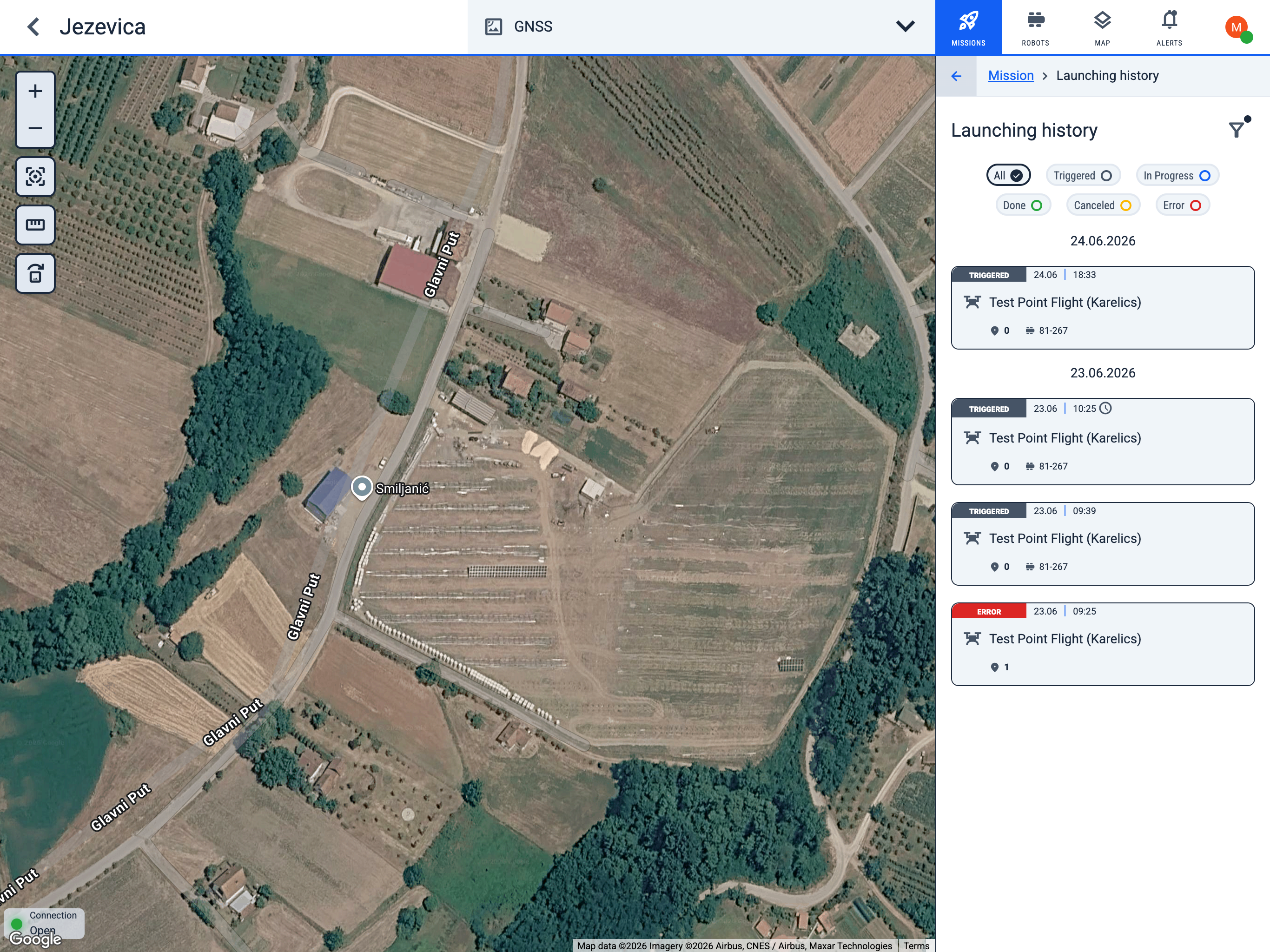
Filter by status
Use the status chips at the top of the list to narrow results:
- All — every launch (default).
- Triggered — the mission was sent to the robot or drone and is waiting to start.
- In Progress — the mission is currently running.
- Done — the mission finished successfully.
- Canceled — the mission was stopped before completion.
- Error — the launch or execution failed.
Additional filters
Click the filter icon filter_alt in the top-right corner of the sidebar to open the filter menu. A blue dot on the icon indicates that at least one filter is active.
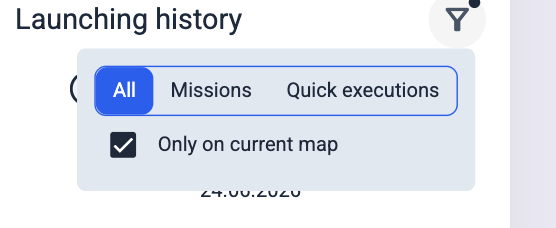
- Launch type — choose which launches to show:
- All — saved missions and quick executions.
- Missions — launches from saved mission templates only.
- Quick executions — ad-hoc launches created directly on the map.
- Only on current map — when enabled, the list includes only launches tied to the map you are viewing. Disable to see launches across all maps in the project.
History entries
Launches are grouped under date headers (for example, 24.06.2026). Each card shows:
- Status badge — the current state of the launch (TRIGGERED, ERROR, and other statuses).
- Timestamp — date and time the launch was created or last updated.
- Mission name — the saved mission that was launched (for example, Test Point Flight (Karelics)).
- Waypoint count — number of waypoints in the mission route.
- Robot — the robot or drone assigned to the launch (for example, 81-267).
Click a card to open launch details and review execution progress or error information.