30 April 2026
Cloud Release 2026.18
Briefly: This release introduces powerful new features like equipment import from SolidComp, Video Surveillance missions, and Reality Twin map transformations, alongside real-time POI updates, improved filtering, and usability enhancements for missions, photos, and scheduling.
New Features
Mission and Equipment Management
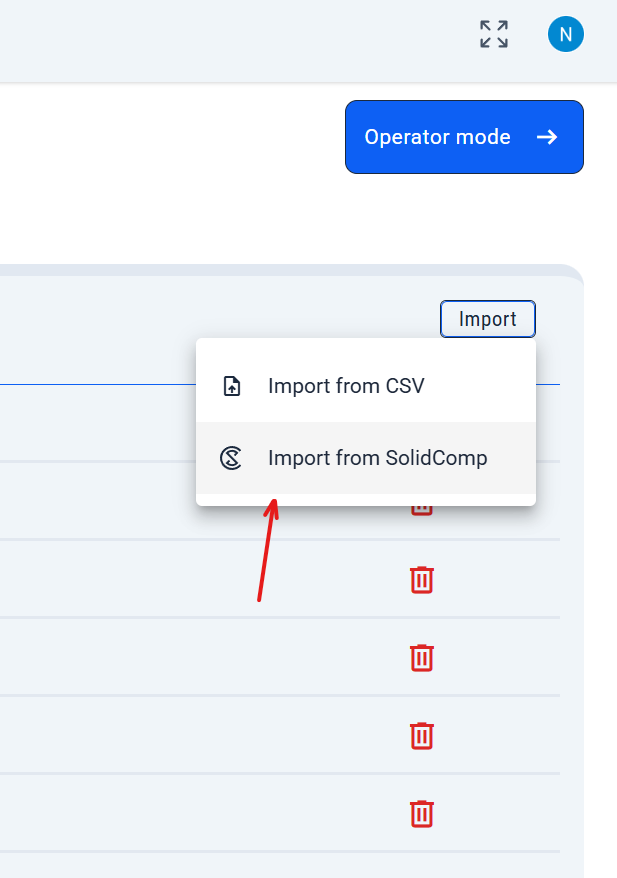
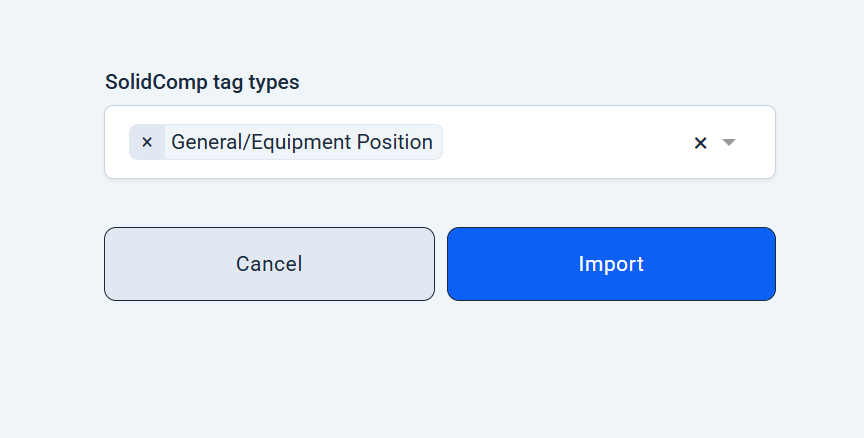
Import Equipment from SolidComp via UI
- Now you can directly import equipment units from SolidComp into your project right from the Equipment admin page — just select tag types and click 'Import'. Existing equipment updates automatically (requires SolidComp plugin).
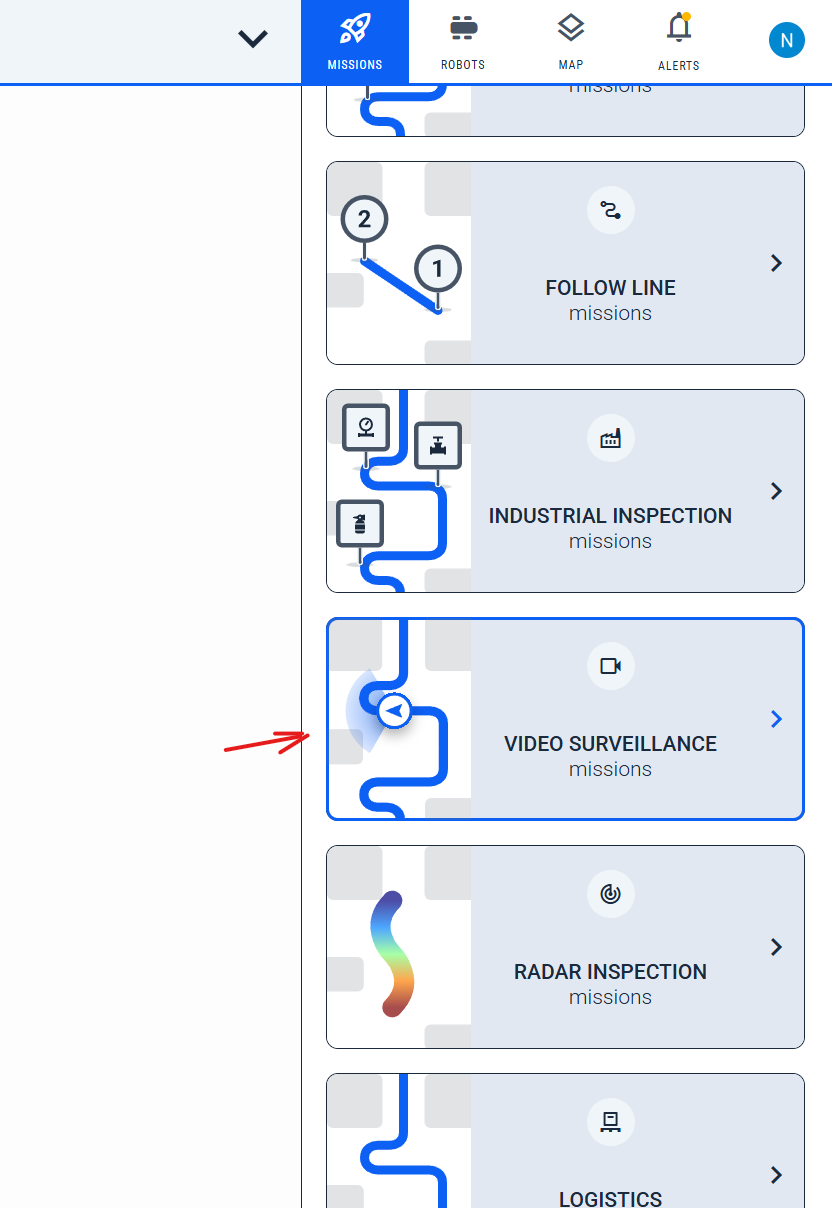
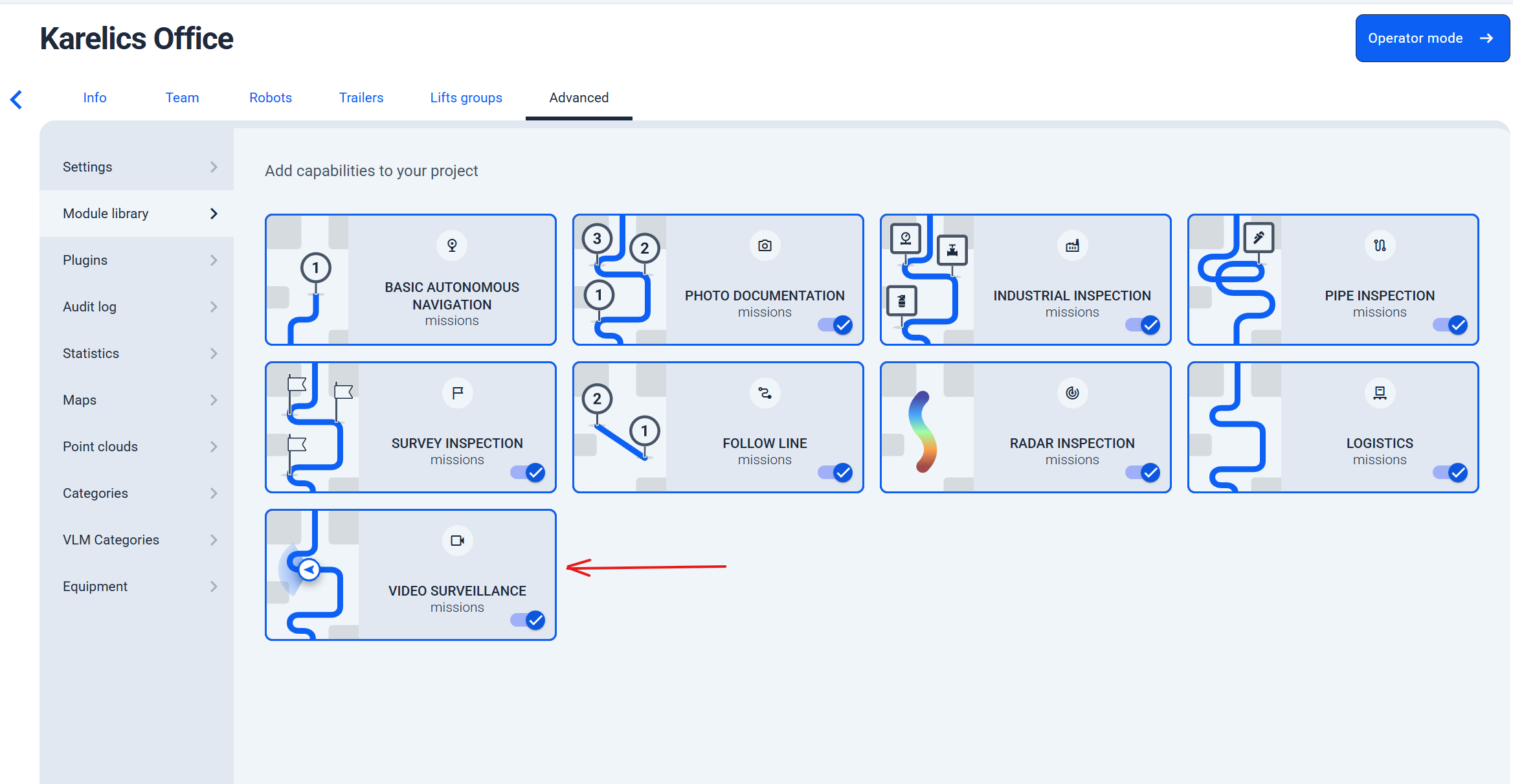
Added Video Surveillance Mission Type
- Introducing the new Video Surveillance mission type for focused monitoring and recording in key areas, boosting situational awareness.
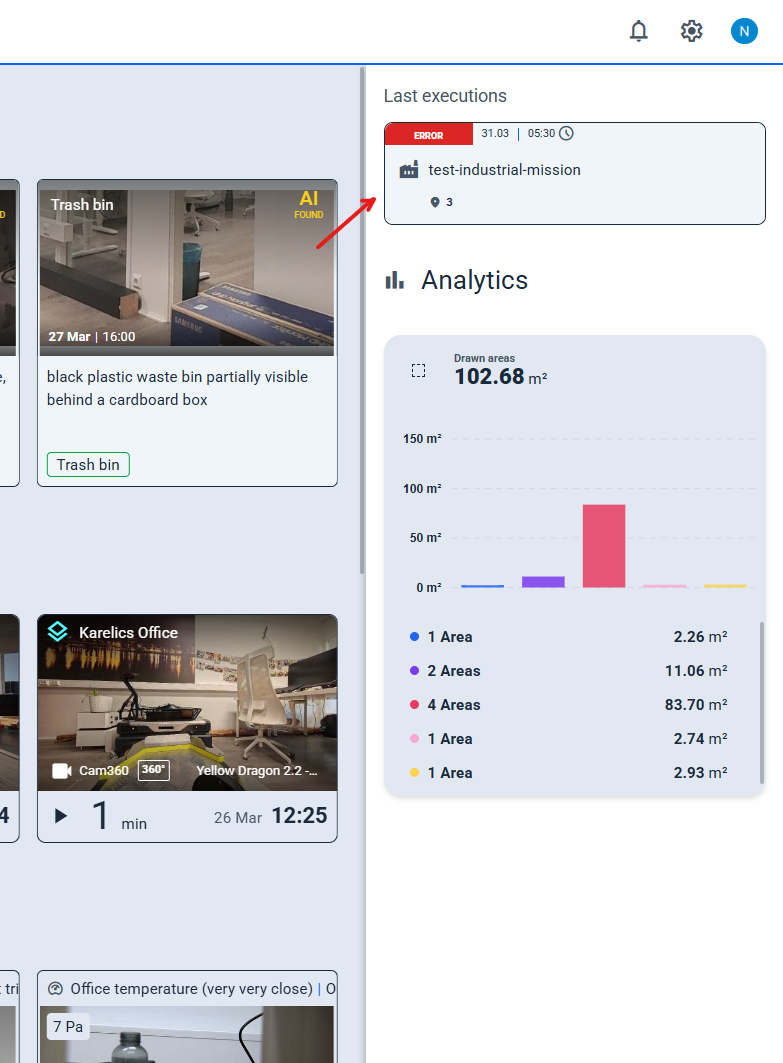
Easy Access to Latest Mission Execution
- Quickly jump to the latest mission execution from the project main page — no more limits to just today's runs.
POI Monitoring and Insights
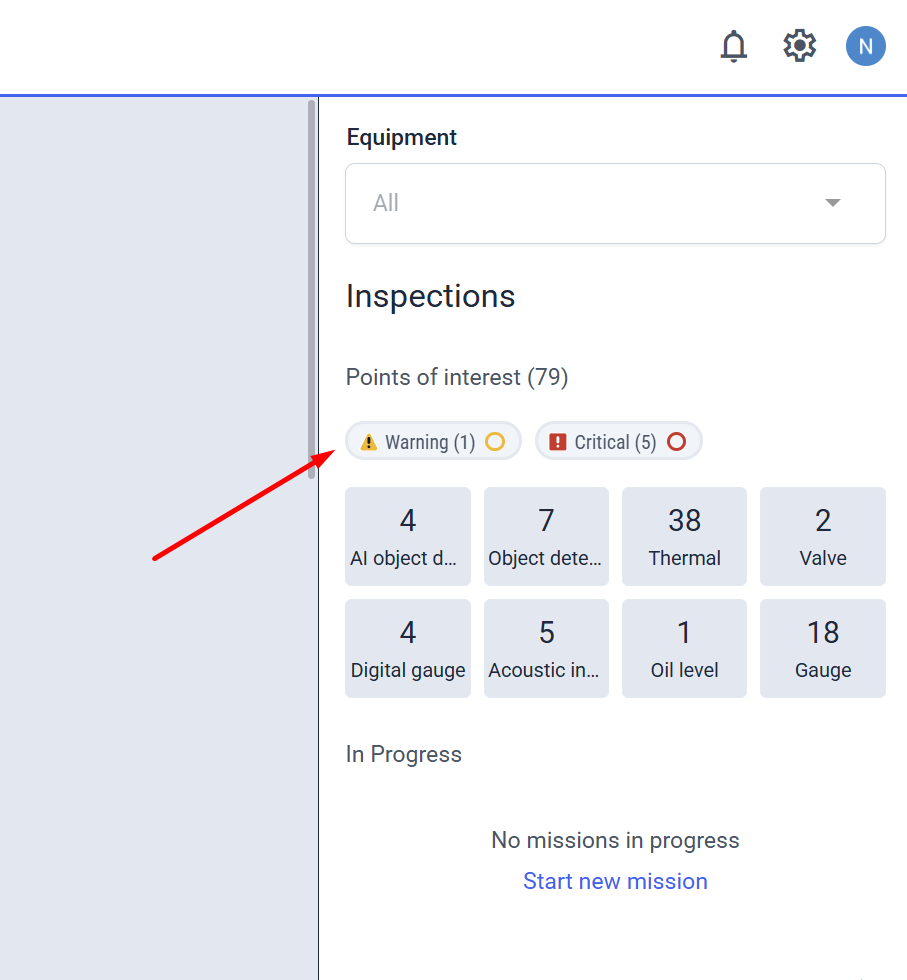
Added Filters to View POIs with Alarms or Warnings
- Filter POIs by alarms or warnings to spotlight critical issues using the latest measurements — perfect for fast response.
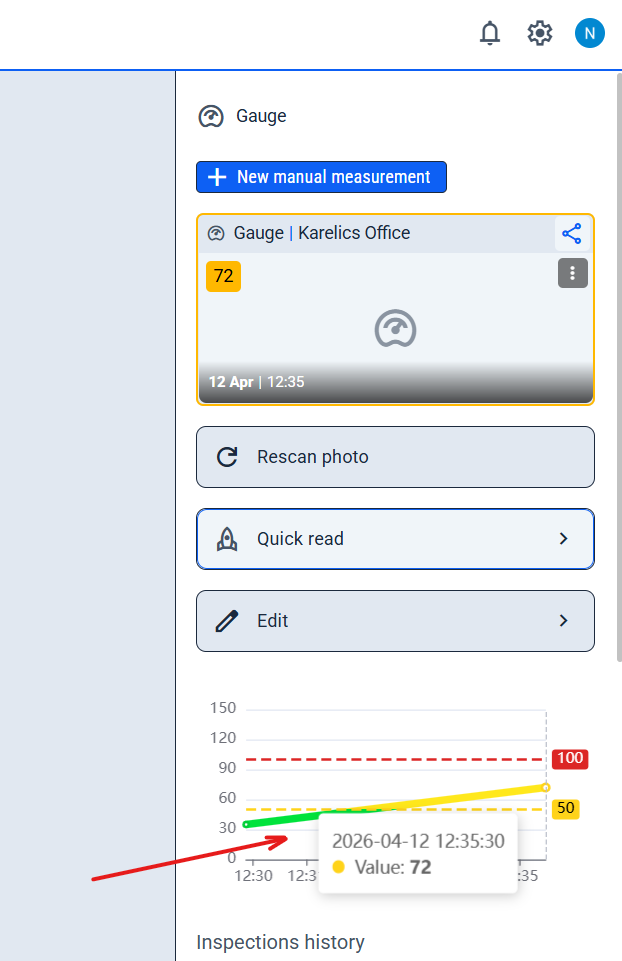
Real-Time POI Charts via WebSockets
- Live real-time updates for POI charts in the sidebar — see the freshest data instantly without refreshing.
Mapping and Reality Twin Integration
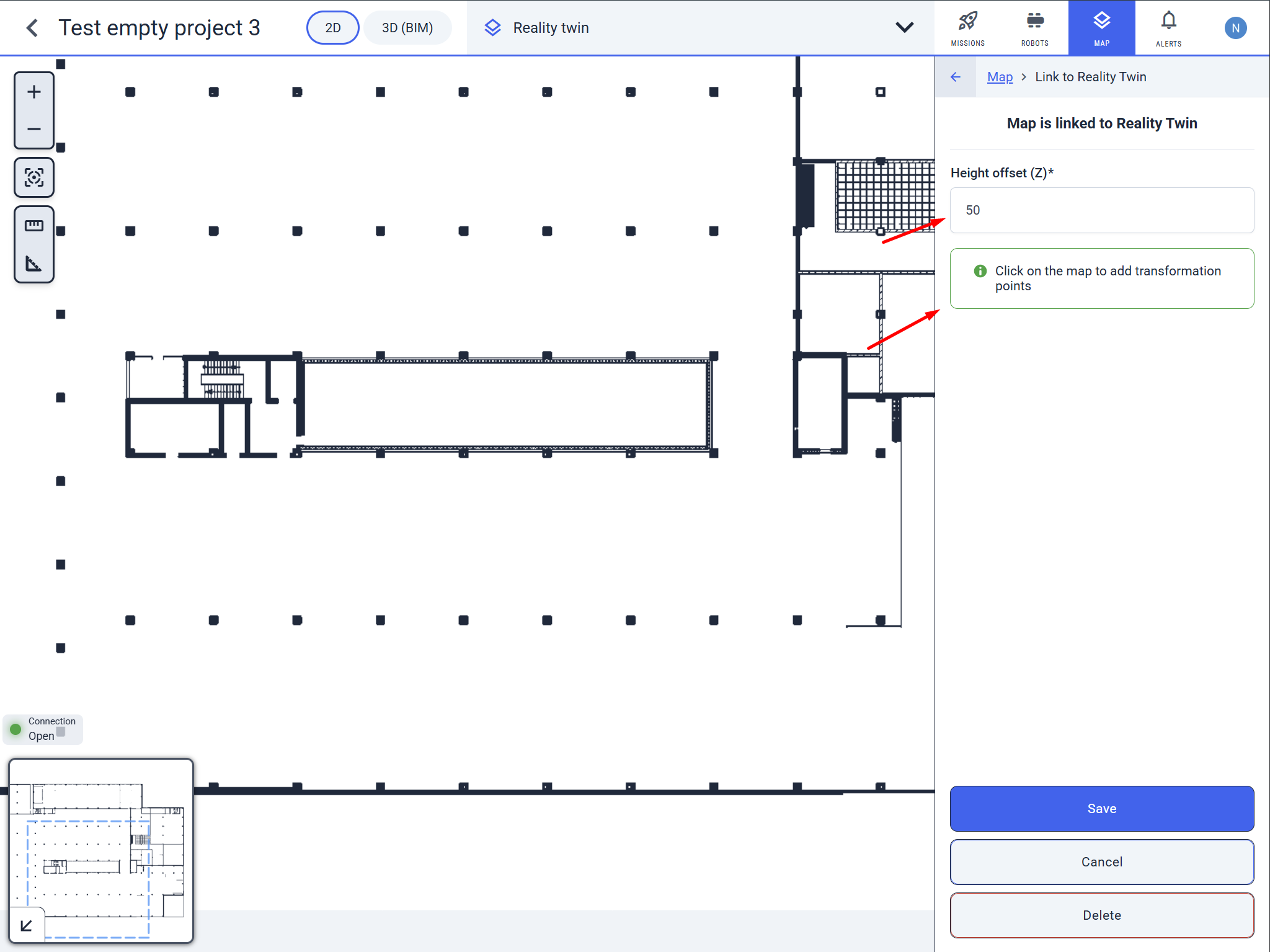
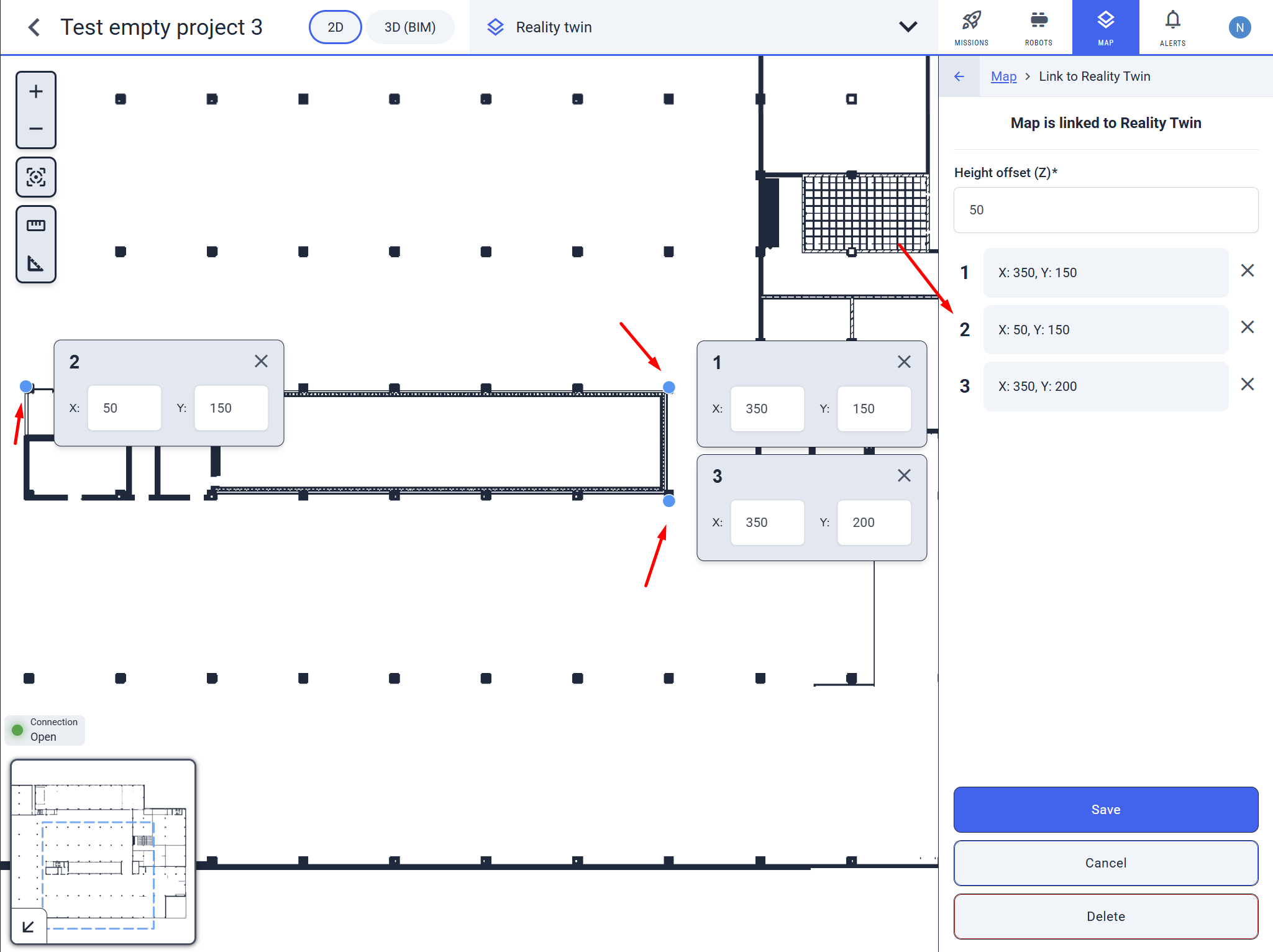
Configure Reality Twin Coordinate System for SolidComp Map Transformation
- Link and align maps with Reality Twin by setting X, Y, Z coordinates for three+ points on original geometry — now with a dedicated 'Link to SolidComp Reality Twin' button for precise alert inspections.
Enhanced Features
Photo Scanning and Sidebar Usability
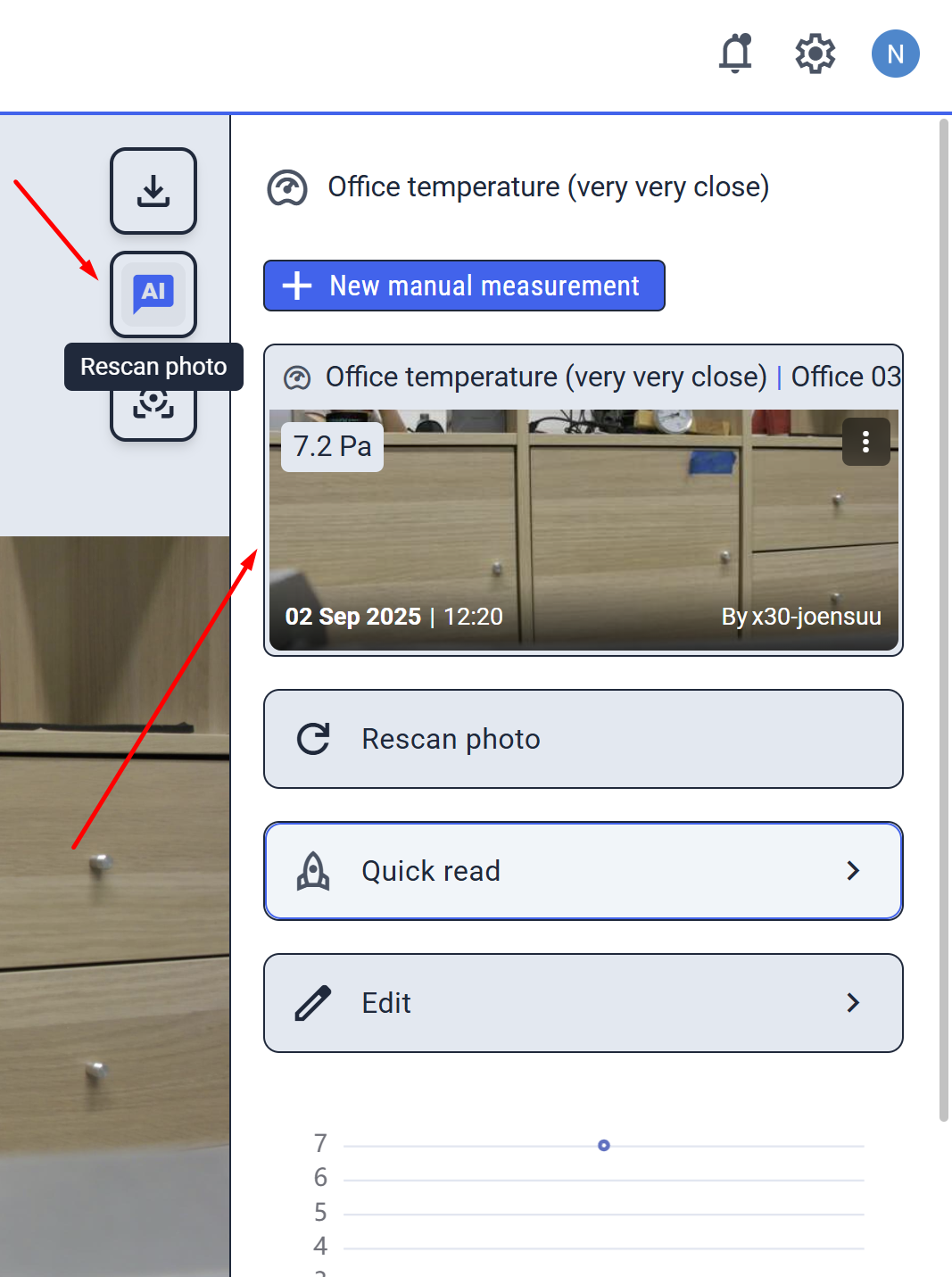
Enhanced Photo Rescan with AI Button and Improved Sidebar Display
- Rescan photos instantly with the new 'AI' button (below download) after tweaking settings, plus the Selected Measurement card now tops the sidebar for smoother navigation.
Mission Execution and Files
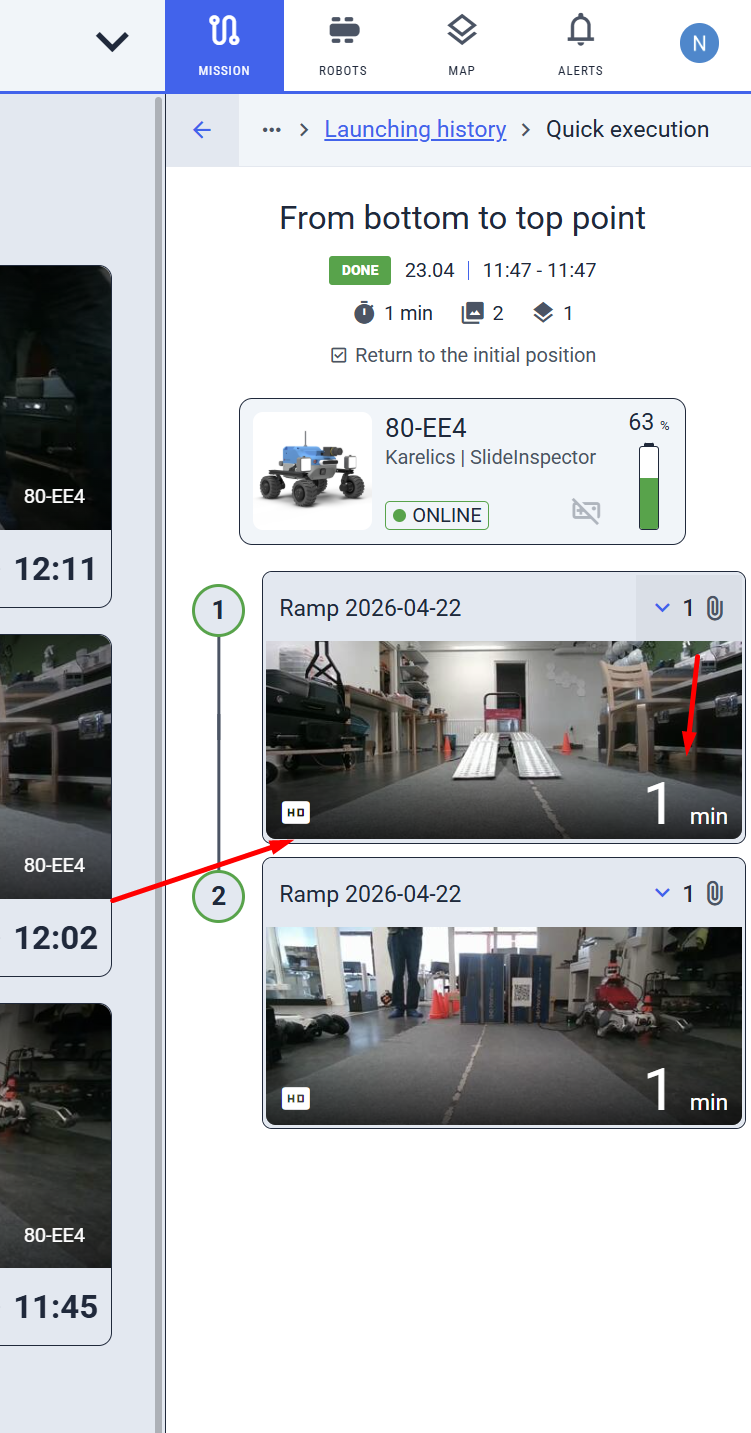
Enhanced Mission Step Files with Metadata
- Mission step video files now include helpful metadata in the footer for easier inspection during operations.
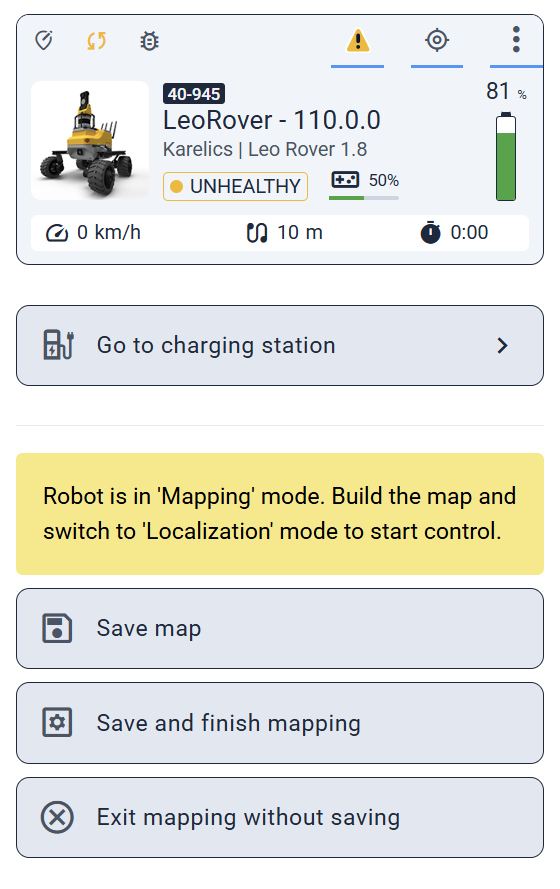
Updated Button Labels for Clearer Mapping Actions
- Clearer mapping buttons: 'Save and activate localisation' → 'Save and finish mapping'; 'Activate localisation without saving' → 'Exit mapping without saving'.
Enhanced POI View & Visual Consistency in 360 Gallery
- POI equipment updates now reliably show the 'Open in Reality Twin' link, with polished visuals in the POI editor and 360 Gallery for a smoother experience.
Other Improvements and Fixes
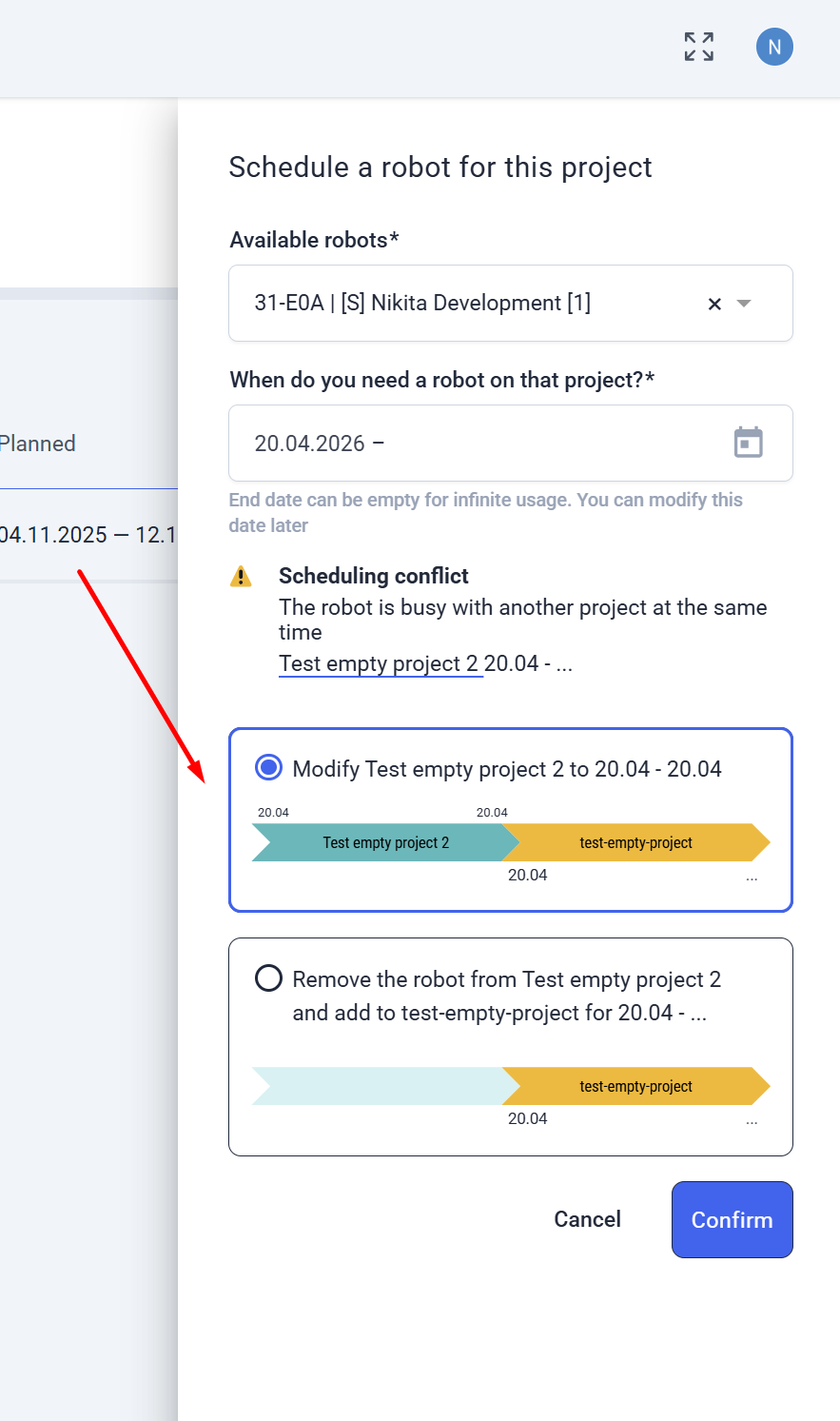
Fixed: Limit Project to Single Day on Conflict Resolution
- Resolve scheduling conflicts seamlessly by limiting projects to a single day — prevents backend errors when reassigning robots (e.g., to new locations like Karelics Office).