Digital Twin Plugin
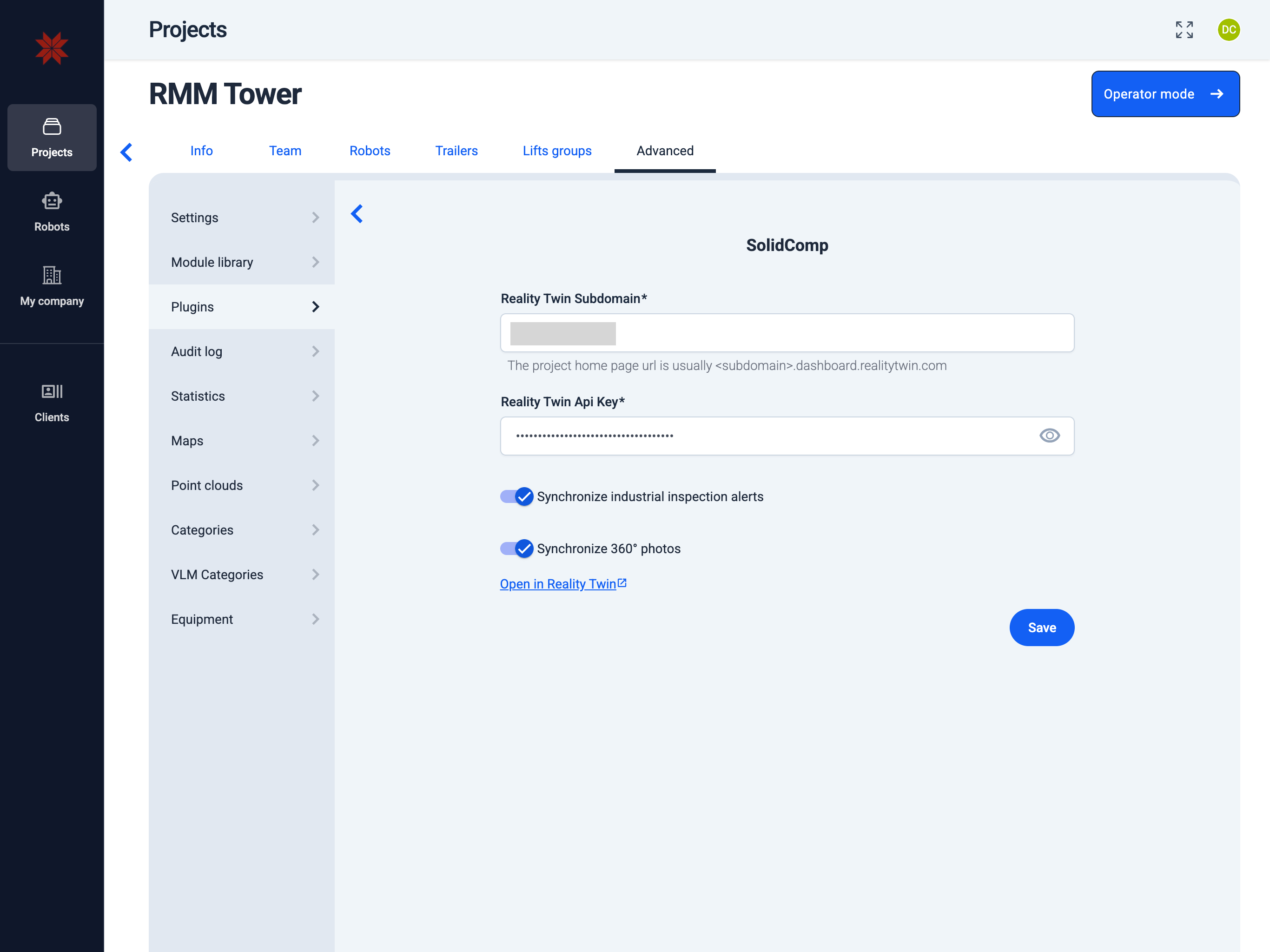
Admin Hub → Projects → Current Project → Advanced → Plugins → Digital Twin Plugin
-
Enter the Digital Twin subdomain.
Info: The project home page URL is usually
subdomain.dashboard.realitytwin.com. -
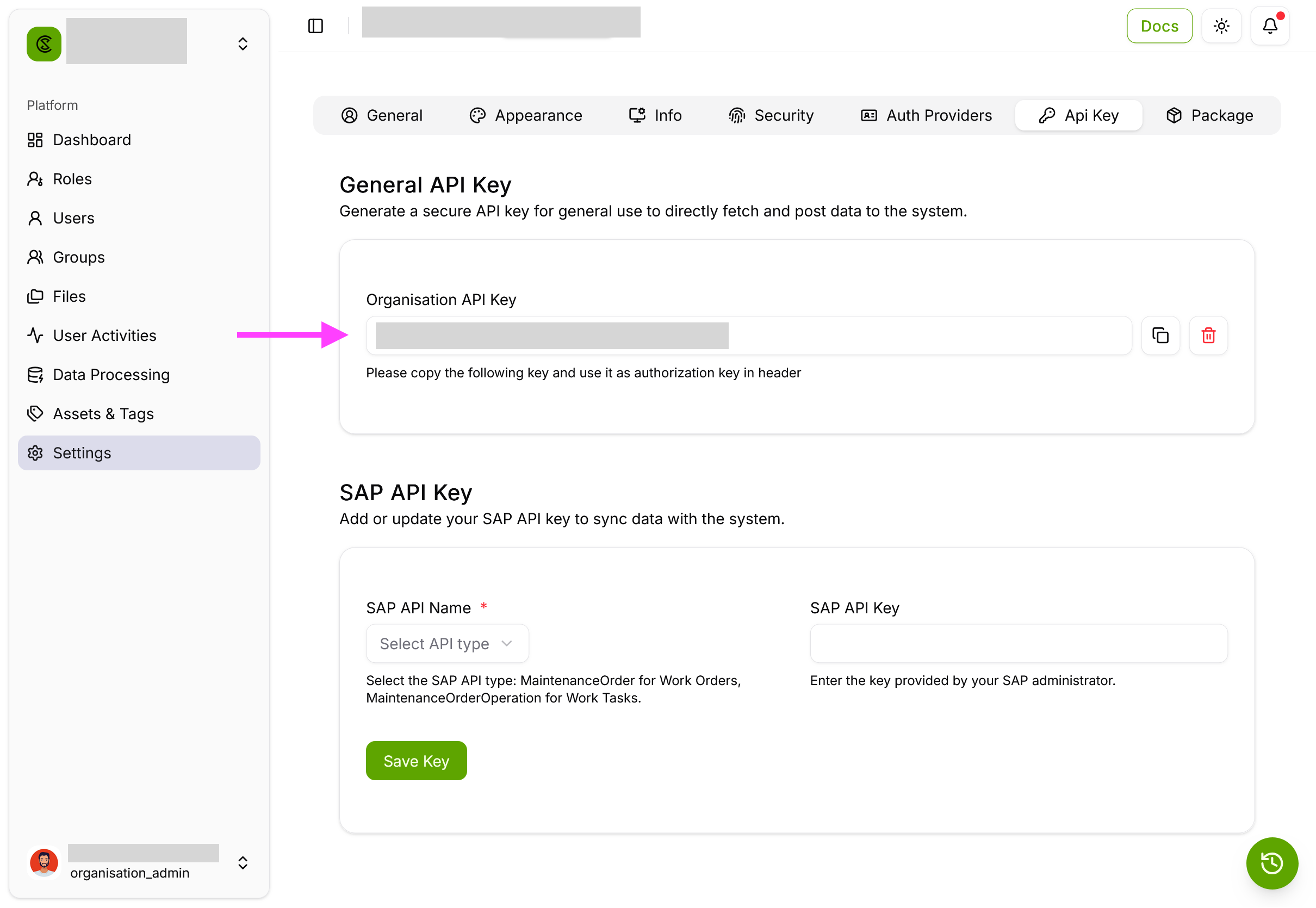
Enter the Digital Twin API key.
Info: Only users with the Administrator role have access to the API key.
Where to find the API key
-
Select the "Synchronize industrial inspection alerts" option.
-
Select the "Synchronize 360° photos" option.
-
Click the "Save" button.
tip
For complete instructions on how to fully integrate with Digital Twin, see Digital Twin Integration.