Mapping
Operator Hub → Current Project → Workspace → Robots → Current Robot → Configuration → Mapping/Localization → Mapping
The Mapping mode is used exclusively for creating new floor maps or editing/extending existing maps.
New map Mapping process
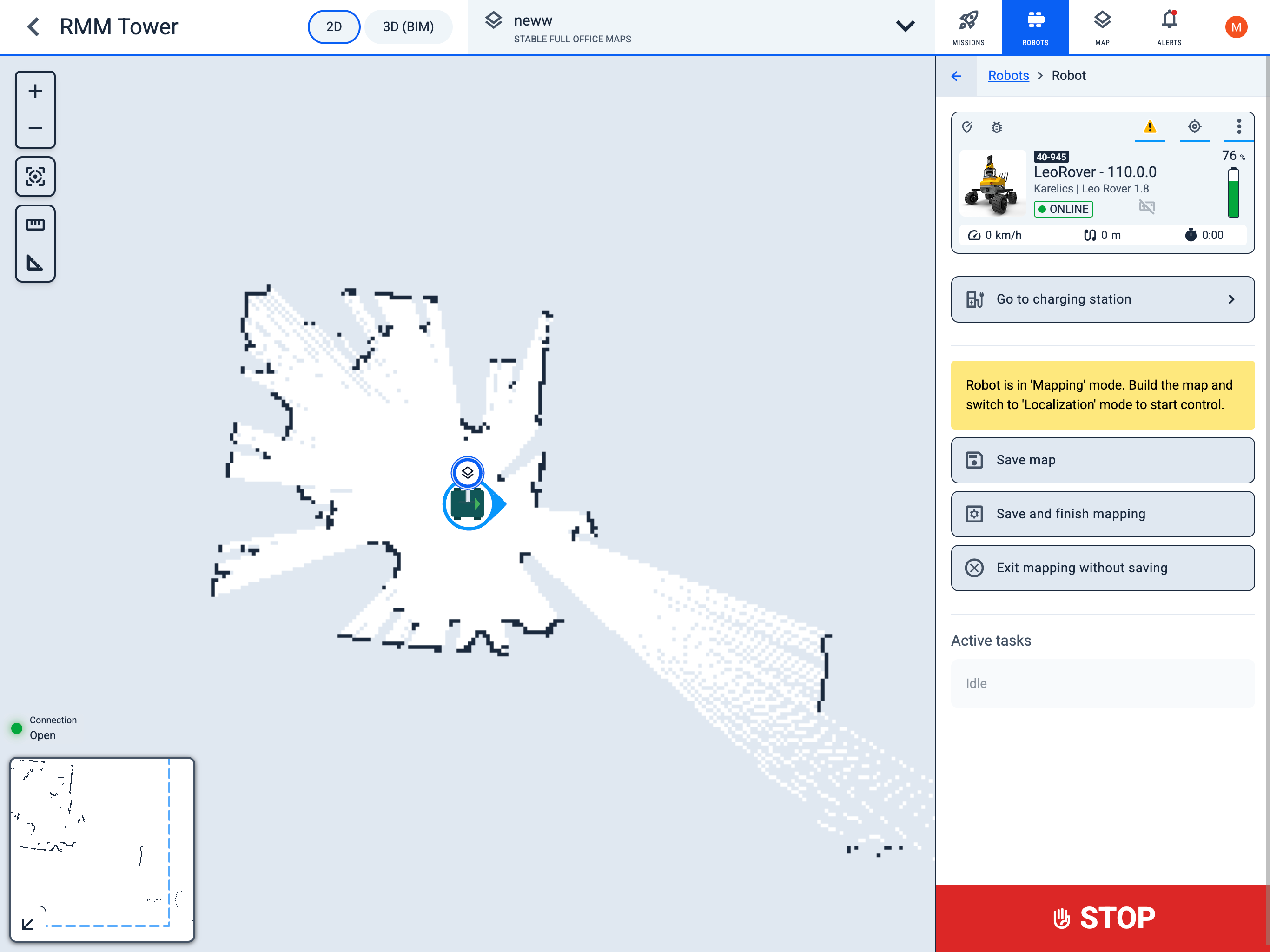
- Control the robot and create a map while monitoring the map creation process.
- Drive the robot through the entire area that needs to be captured on the map.
- To save the map as a draft and continue working, press the
Save mapbutton. - To finish and save the map, press the
Save and finish mappingbutton. - To exit mapping mode without saving, press the
Exit mapping without savingbutton. - After completing the map creation, you can manually edit it using the eraser or rotation tool in Edit map.
Process of Mapping over an already created map
- The process is exactly the same, except you start with an already existing map.
- It is recommended to accurately align the robot on the map in advance using Set position.
info
For the most accurate map creation, it is recommended to drive the robot as close as possible to obstacles and inspect them from all sides. If artifacts appear on the map, you can drive the robot over the same area again.